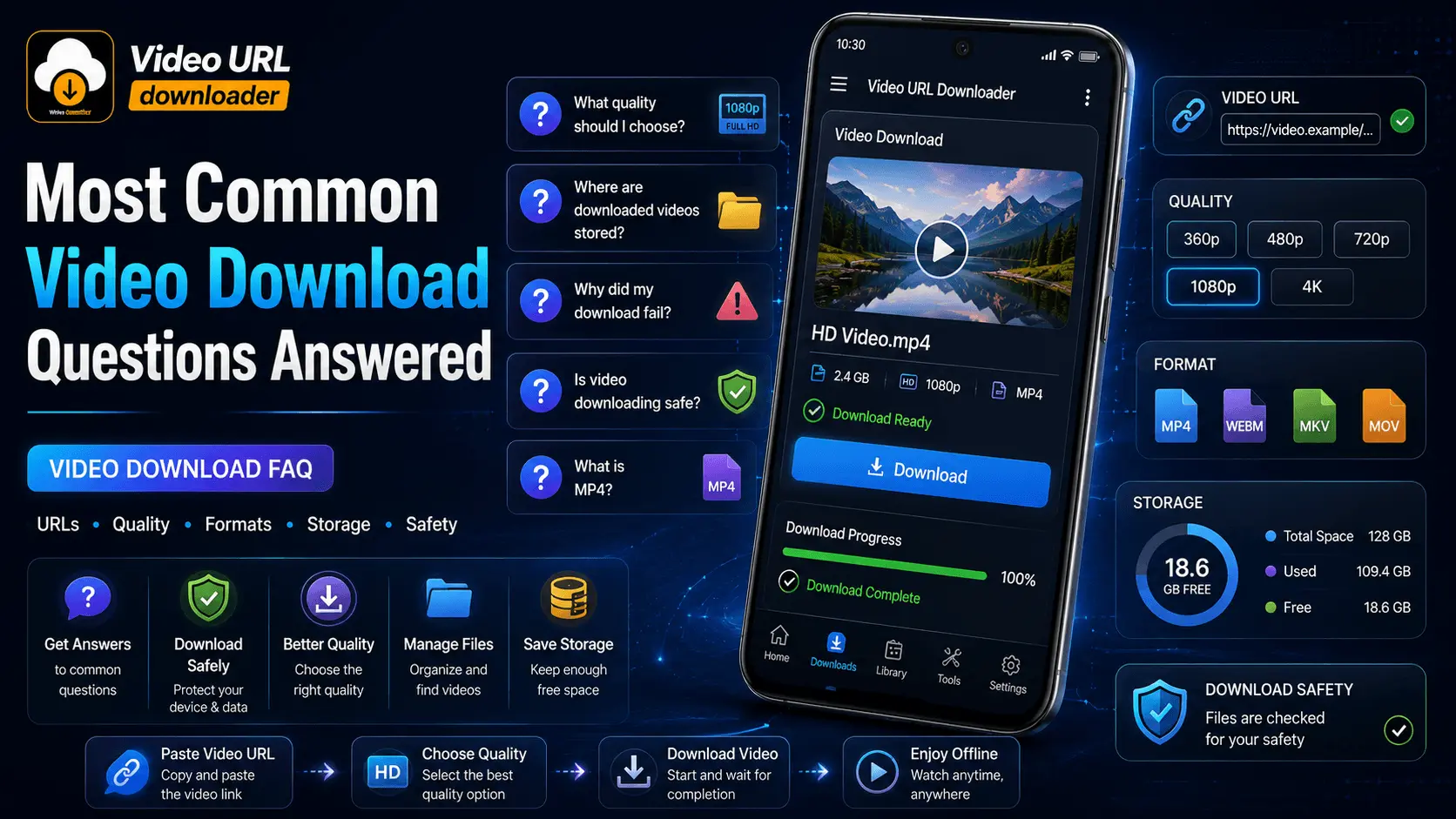
Downloading a video sounds simple, but Android users often have questions about video URLs, file formats, quality, storage, download failures, privacy, and security.
The right answer can also depend on the original video, the website providing it, the downloader being used, the Android version, and the available storage on the device.
This guide answers the most common video download questions in one place. Whether you are trying to understand what a video URL is, choose a suitable quality, find a downloaded file, or troubleshoot a failed download, these FAQs provide practical starting points.
If you use a tool such as Video URL Downloader, understanding these basics can help you make better decisions before and after starting a download.
Quick Answers to Common Video Download Questions
| Question | Short Answer |
|---|---|
| What is a video URL? | A web address that identifies or points to video content. |
| What is a video URL downloader? | A tool designed to process supported video URLs for downloading. |
| What quality should I choose? | Choose a practical quality based on your viewing needs, storage, and available source. |
| Where are downloaded videos stored? | The location depends on the downloader, Android version, and device settings. |
| Why did my download fail? | Possible causes include the URL, source availability, network, storage, or format. |
Basic Video Download Questions
What Is a Video URL?
A video URL is a web address associated with video content on the internet. Depending on the website, the URL may point to a video page rather than directly to the video file itself.
A video URL downloader can use a supported URL as an input and attempt to process the available video content for downloading.
What Is a Video URL Downloader?
A video URL downloader is a tool designed to process supported video URLs and provide a way to save video content to a device.
The exact behavior depends on the downloader, the source website, the URL, and the formats or qualities made available by that source.
How Does Video Downloading Work?
In a typical workflow, you provide a supported video URL to a downloader. The tool processes the source, identifies available downloadable content or options, and then saves the selected content to your device when supported.
Provide the source address.
The downloader processes the URL.
Choose an available option.
Save the supported file to the device.
Can I Download Videos on Android?
Yes, Android devices can store downloaded video files. The exact download process depends on the source, downloader, Android version, and the options available for the particular video.
Before downloading, make sure your device has enough storage and that you are allowed to save the content under the applicable source or platform terms.
What Should I Check Before Downloading a Video?
Start by checking the source and the URL. Make sure you understand what content you are downloading and whether the source and applicable terms allow you to save it.
It is also useful to check available storage, internet connectivity, expected quality, and the file format you want.
Video Quality Questions
What Video Quality Should I Choose?
Choose a quality that provides enough detail for your intended use without unnecessarily consuming storage or data.
| Quality | Typical Use |
|---|---|
| 360p | Basic viewing and smaller files. |
| 480p | Standard-definition viewing. |
| 720p | HD viewing with a reasonable balance between quality and file size. |
| 1080p | Full HD viewing with more detail and generally larger files. |
| 1440p | Higher-resolution viewing when the source provides it. |
| 2160p / 4K | Very high-resolution content when supported by the source and device. |
What Does 1080p Mean?
1080p commonly refers to a video resolution of 1920 × 1080 pixels. It is widely known as Full HD.
A 1080p video can provide more visible detail than a lower-resolution version, but it will often require more storage and bandwidth.
Is 4K Always Better?
Not necessarily. Higher resolution can provide more detail, but it also generally increases file size and data requirements.
If your phone display is smaller, storage is limited, or you mainly watch videos casually, a lower resolution may be more practical.
Why Can a Downloaded Video Look Lower Quality?
Several factors can affect perceived video quality, including the original source, selected resolution, bitrate, compression, codec, and the quality option actually provided by the source.
Selecting a higher resolution does not recreate detail that was not present in the original source.
How Can I Avoid Unnecessary Quality Loss?
When the source provides multiple options, choose a quality appropriate for your needs and avoid unnecessary conversions or repeated re-encoding.
Remember that the downloader can only work with the quality and formats made available by the source.
More Video Download Questions
Part 2 continues with video formats, storage, download failures, Android troubleshooting, and practical solutions to common download problems.
Video Format Questions
What Is MP4?
MP4 is a commonly used multimedia container format for storing video, audio, subtitles, and related information.
It is widely used for videos because it can provide a practical balance between compatibility, quality, and file size. However, the actual compatibility of a video also depends on the codecs used inside the file and the capabilities of the device or application.
Which Video Format Is Commonly Used on Android?
MP4 is a commonly encountered video format on Android devices. However, Android phones can support a variety of containers and codecs depending on the device, Android version, and installed applications.
If compatibility is your priority, check which formats your target device and video player support before choosing a download option.
What Is the Difference Between a Video File and an Audio File?
A video file can contain both visual and audio information, while an audio file contains audio without the video component.
| File Type | Typical Content |
|---|---|
| Video | Visual content with optional or included audio. |
| Audio | Sound without the visual video component. |
Why Did I Receive an Unexpected File Type?
An unexpected file type can result from the source, downloader behavior, an incorrect download selection, or a misleading download page.
If you expected a video but received a file such as an APK, do not open or install it automatically. Check the filename, extension, and source before taking any further action.
Why Should I Check the File Extension?
The file extension provides a quick indication of the type of file you received. For example, an MP4 extension indicates an MP4 container, while APK is associated with an Android application package.
Video Download Storage Questions
Where Are Downloaded Videos Stored on Android?
The exact location depends on the downloader, Android version, device manufacturer, and storage settings.
Downloaded files may appear in a Downloads folder, a video or media folder, or an application-specific location. If you cannot find a downloaded video, use your device's file manager and search for the filename or video extension.
How Much Storage Does a Downloaded Video Use?
There is no fixed file size for every video. Storage requirements depend on factors such as video duration, resolution, bitrate, codec, compression, and audio quality.
| Factor | Effect on File Size |
|---|---|
| Longer duration | Usually requires more storage. |
| Higher resolution | Often results in larger files. |
| Higher bitrate | Generally increases file size. |
| Compression | Can significantly affect the final size. |
| Audio quality | Can contribute to the total file size. |
Why Do HD Videos Take More Space?
Higher-resolution videos generally contain more visual information. Depending on the encoding settings, that can result in a larger amount of data that needs to be stored.
This is why a 1080p or 4K download can require substantially more storage than a lower-resolution version of the same video.
How Can I Manage Downloaded Videos?
Start by organizing files into folders and removing videos you no longer need. If your device supports external or expandable storage, you may also have additional options for managing large media collections.
- Delete duplicate videos.
- Remove downloads you no longer watch.
- Use meaningful filenames when appropriate.
- Keep important videos backed up when necessary.
- Monitor available device storage.
What Should I Do When My Storage Is Almost Full?
Review your Downloads folder and remove unnecessary large files first. Videos can consume significant storage, particularly when saved at high resolutions.
Quick Storage Cleanup
- Open your file manager.
- Locate downloaded videos.
- Sort or review files by size when supported.
- Delete videos you no longer need.
- Empty the device's trash or recycle area when appropriate.
Video Download Troubleshooting Questions
Why Is My Video Download Not Starting?
A download may fail to start for several reasons. The URL may be invalid or unsupported, the source may be unavailable, your connection may be unstable, or the downloader may not support the particular source.
Things to Check
- Verify the video URL.
- Check your internet connection.
- Confirm that the source is still accessible.
- Check available storage.
- Make sure the downloader supports the source and requested content.
Why Is My Video Download Slow?
Download speed can be affected by your internet connection, network congestion, server-side limits, file size, and other factors.
A large high-resolution video naturally takes longer to download than a small low-resolution file under the same conditions.
If a download seems unusually slow, check your network connection and consider trying again when the connection is more stable.
Why Did My Video Download Stop?
Interrupted downloads can be caused by network instability, a source becoming unavailable, insufficient storage, application problems, or other temporary conditions.
Check your connection and storage first. If the source is still available, restarting the download may help.
What Can Cause an Interrupted Download?
Common causes include switching between networks, temporarily losing connectivity, insufficient storage, the source ending access to the content, or the downloader encountering an error.
What Should I Check When a Video URL Does Not Work?
First confirm that the URL is complete and points to the intended content. Then check whether the source is accessible and whether the downloader supports that type of URL.
- Check the URL for errors.
- Open the source normally when appropriate.
- Confirm that the video is still available.
- Check your internet connection.
- Try a supported source or format when available.
Android Video Download Questions
Can I Download Videos Using an Android Phone?
Yes. Android devices can download and store supported video files. The exact process depends on the source, downloader, Android version, and available storage.
Before starting a large download, check your available storage and consider whether Wi-Fi is more suitable than mobile data.
Where Can I Find Downloaded Files on Android?
Downloaded files may be stored in a Downloads folder, a media folder, or an application-specific directory. The exact location varies between devices and applications.
If you cannot find a video, open your device's file manager and search by filename or by a video extension such as .mp4.
How Do Android Permissions Affect Video Downloads?
Applications may request permissions to access certain device features or information. The permissions available and their behavior can vary by Android version and device.
Review requested permissions and consider whether they are relevant to the features you intend to use. Avoid granting unnecessary access when your device gives you that choice.
Why Should I Keep Android Updated?
Keeping Android and your applications updated helps ensure that your device receives available improvements, compatibility updates, and security fixes.
Update availability and installation steps vary by device manufacturer and Android version.
What Should I Do If a Downloader Requests Unexpected Access?
Stop and review what the application is asking for. Consider whether the requested access is relevant to the features you intend to use.
If a request seems unrelated or unnecessary, do not approve it automatically. You can also review the application's permission settings through Android when those controls are available.
Continue to Part 3
Part 3 answers the remaining questions about video download safety, privacy, mobile data, suspicious files, responsible downloading, and practical troubleshooting, followed by a complete checklist, conclusion, and final CTA.
Video Download Safety & Privacy Questions
Is Video Downloading Safe?
Downloading a video can be safe when you use a trustworthy source, a reputable downloader, and files you are authorized to download. However, not every download page or file found online is trustworthy.
Be cautious with unexpected redirects, suspicious advertisements, unfamiliar files, requests for unnecessary permissions, and pages asking for sensitive information.
How Can I Identify a Suspicious Download Page?
Look for warning signs such as repeated redirects, misleading download buttons, unexpected pop-ups, requests for unnecessary personal information, or prompts to install unrelated software.
Warning Signs
- Unexpected redirects to unrelated websites.
- Multiple misleading download buttons.
- Requests for passwords or sensitive information.
- Unexpected APK installation prompts.
- Claims that your device is infected without a trustworthy basis.
- Pressure to install unfamiliar applications.
Should I Install an APK to Download a Video?
An APK is an Android application package. It is not a normal video file.
If you expected to download a video but a website or download page instead asks you to install an unfamiliar APK, stop and verify the source before proceeding.
Why Should I Avoid Entering Passwords on Unfamiliar Download Pages?
A video download normally should not require you to provide sensitive account credentials to an unrelated or unfamiliar website.
If a page unexpectedly asks for a password, payment information, or other sensitive details, verify the website and its purpose before entering anything.
What Should I Do With an Unexpected APK?
If you expected a video but received an APK, do not install it automatically. Verify where the file came from and whether you intentionally requested an application installation.
- Do not open or install it immediately.
- Check the filename and file extension.
- Review the source from which it was downloaded.
- Delete the file if it is unnecessary.
- Use your device's available security tools if you are concerned about the file.
Is HTTPS Alone Enough to Guarantee Safety?
No. HTTPS helps protect the connection between your browser and a website, but it does not by itself guarantee that every file, advertisement, download, or website is trustworthy.
Consider the source, requested permissions, downloaded file, and overall behavior of the website as well.
Mobile Data and Video Download Questions
Does Video Downloading Use Mobile Data?
Yes. Downloading a video over a mobile network uses mobile data. The amount depends primarily on the size of the file being downloaded.
A long or high-resolution video can use considerably more data than a short, lower-resolution video.
How Much Data Can an HD Video Use?
There is no single amount that applies to every HD video. Data usage depends on duration, resolution, bitrate, codec, compression, and audio quality.
| Factor | Why It Matters |
|---|---|
| Duration | Longer videos generally contain more data. |
| Resolution | Higher resolutions often require more data. |
| Bitrate | Higher bitrate generally produces a larger file. |
| Compression | Encoding efficiency affects final size. |
Is Wi-Fi Better for Large Video Downloads?
Wi-Fi can be a practical choice for large downloads when you want to avoid consuming a mobile data allowance.
Before downloading large files, make sure you are connected to a network you trust and that your device has sufficient storage.
How Can I Reduce Unnecessary Data Usage?
Choose a practical video quality instead of automatically selecting the highest available option. Check the expected file size when it is shown and use Wi-Fi for large downloads when appropriate.
- Avoid downloading videos you do not need.
- Choose a suitable resolution.
- Prefer Wi-Fi for large files when appropriate.
- Monitor your device and mobile-data usage.
Responsible Video Downloading Questions
Can I Download Any Video I Find Online?
Not necessarily. The fact that a video can be viewed online does not automatically mean that you have the right to download, copy, modify, or redistribute it.
Check the source's terms, applicable license, and any permissions associated with the content before downloading or sharing it.
What About Copyrighted Videos?
Copyright may restrict how a video can be copied, downloaded, modified, or redistributed. The specific rules depend on the content, license, jurisdiction, and platform terms.
Download copyrighted content only when you have the necessary permission or the applicable terms clearly allow the intended use.
When Should I Get Permission to Download a Video?
If you are unsure whether you are allowed to download, copy, edit, or share a video, check the content license or ask the copyright holder for permission.
This is especially important when you intend to redistribute the downloaded material or use it for commercial purposes.
Why Should I Check Platform Terms and Licensing?
Platform terms and content licenses can define what users are permitted to do with online content. Checking them helps you understand whether downloading or reusing a particular video is allowed.
A Simple Video Download Troubleshooting Guide
When a video download does not work, avoid immediately assuming that the downloader is broken. Several different factors can affect a download.
| Problem | What to Check |
|---|---|
| Download does not start | URL, source availability, connection, storage, and downloader compatibility. |
| Download is slow | Network quality, file size, congestion, and source-side conditions. |
| Download stops | Connection stability, storage, source availability, and application state. |
| Video cannot be found | Check Downloads, media folders, and the application's configured storage location. |
| Video will not play | Check the file type, codec compatibility, file integrity, and supported player. |
| Unexpected file downloaded | Check the extension and source. Do not install unexpected APK files. |
Recommended Video Download Workflow
Check
Verify the URL, source, and permission to download the content.
Choose
Select a suitable quality and supported format.
Download
Use a trusted connection and make sure enough storage is available.
Verify
Check the downloaded file and organize or remove it as needed.
Complete Video Download Checklist
- ✓ Verify the video URL.
- ✓ Check whether the source is accessible.
- ✓ Make sure you are permitted to download the content.
- ✓ Choose a practical video quality.
- ✓ Choose a supported file format.
- ✓ Check available storage.
- ✓ Prefer a reliable network.
- ✓ Consider Wi-Fi for large downloads.
- ✓ Start the download.
- ✓ Verify the resulting file.
- ✓ Check the downloaded file location.
- ✓ Organize downloaded videos.
- ✓ Delete unnecessary files.
- ✓ Keep Android and applications updated.
- ✓ Review application permissions.
- ✓ Avoid unexpected APK files.
- ✓ Avoid suspicious download pages.
- ✓ Protect passwords and personal information.
- ✓ Respect copyright and platform terms.
The Most Important Things to Remember
Before Downloading
- Verify the source.
- Check the URL.
- Confirm that downloading is permitted.
- Choose suitable quality.
- Check available storage.
After Downloading
- Verify the file.
- Check the file extension.
- Store it in an appropriate location.
- Remove files you no longer need.
- Avoid opening unexpected files.
Download Responsibly
Video URL Downloader is intended as a practical tool for working with supported video URLs. Always follow applicable copyright laws, platform rules, licenses, and permissions when downloading or reusing online video content. Do not use downloading tools to bypass DRM, access controls, or other technical restrictions.
Conclusion
Video downloading on Android becomes much easier when you understand the basics. A video URL identifies online content, while a video URL downloader can process supported URLs and provide available download options.
The best quality is not always the highest quality. Consider your device, storage, internet connection, and intended use before selecting a resolution. Similarly, choosing a common format can improve convenience, but actual compatibility depends on the file's encoding and your Android device or media player.
When a download fails, work through the basics first: check the URL, source availability, internet connection, storage, and supported formats. These simple checks can help identify many common problems without unnecessary troubleshooting.
Security should also remain a priority. Be cautious with unfamiliar download pages, unexpected redirects, unusual permission requests, and APK files that you did not intend to install. A video download should not require you to blindly install unrelated software or provide sensitive information.
Finally, remember that being able to access online content does not automatically mean you have permission to copy or redistribute it. Check applicable licenses, platform terms, and permissions before downloading or reusing content.
Have More Video Download Questions?
Use Video URL Downloader to work with supported video URLs on Android while keeping quality, storage, security, and responsible downloading in mind.