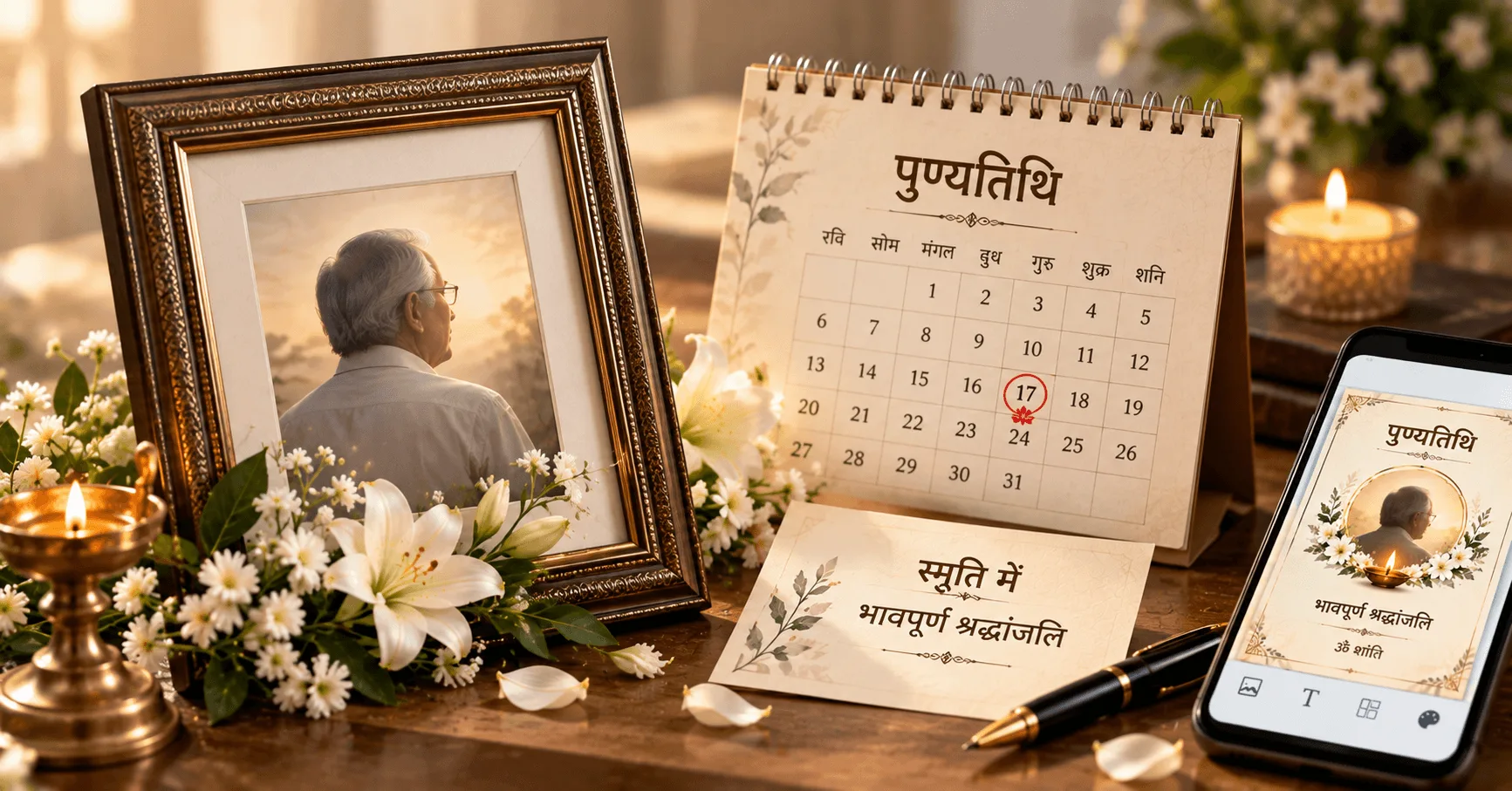
A Punyatithi card is a respectful way to remember a loved one on their death anniversary. It can bring together a meaningful photograph, the person's name, a remembrance message, the Punyatithi date and details of a prayer meeting or remembrance ceremony in one simple design.
A thoughtfully prepared death anniversary card can help family members, relatives and friends remember the person and share information about a Punyatithi gathering. Whether you want to create a traditional Punyatithi card, a simple memorial card or a digital card for WhatsApp, a clean layout can make the important details easier to read.
In this guide, you will learn how to make a Punyatithi card on Android, choose the right photograph, write a meaningful remembrance message, add ceremony information and prepare a card that is suitable for digital sharing.
Application
Shradhanjali Card Maker
Category
Punyatithi
Reading Time
8–10 Minutes
Difficulty
Beginner
What Is a Punyatithi Card?
A Punyatithi card is a remembrance card prepared for the death anniversary of a loved one. It can be used to share the date of the Punyatithi, express remembrance and provide information about a prayer meeting or family gathering.
The card may include the person's photograph, full name, dates, remembrance message and ceremony details. Depending on the family's preference, the design can be traditional, minimal or suitable for digital sharing.
The Hindi term पुण्यतिथि is commonly used on remembrance cards, while regional versions such as Gujarati and Marathi Punyatithi cards can use the language preferred by the family.
Why Create a Punyatithi Card for a Death Anniversary?
A death anniversary can be an important occasion for remembering someone who is no longer with the family. A Punyatithi card provides a simple way to communicate the remembrance occasion and any related ceremony details to relatives and friends.
Remember a Loved One
Use a photograph and meaningful message to create a personal remembrance of the deceased.
Share Ceremony Information
Include the date, time and venue when a Punyatithi prayer meeting or remembrance ceremony is planned.
Connect With Family and Friends
A digital card can make it easier to share the remembrance message with relatives and friends.
Create a Lasting Tribute
A carefully designed memorial card can preserve a photograph and remembrance message in one place.
What Should a Punyatithi Card Include?
Before starting the design, collect the information that needs to appear on the card. Keeping the content organized makes it easier to create a clean and readable layout.
Important Punyatithi Card Details
- Clear photograph of the person
- Full name of the deceased
- Date of birth, when appropriate
- Date of passing
- Punyatithi or death anniversary date
- Heartfelt remembrance or श्रद्धांजलि message
- Prayer meeting or remembrance ceremony details
- Date and time of the gathering
- Venue and complete address
- Family members' names, when required
- Contact details, when necessary
Not every card needs all of these details. Select the information that is relevant to the purpose of your Punyatithi card and keep the layout uncluttered.
Best Punyatithi Card Design Ideas
The design should reflect remembrance and respect. You can choose a traditional layout or a modern digital design depending on how the card will be shared.
1. Traditional Punyatithi Memorial Card
A traditional design can feature a prominent photograph, a formal remembrance heading, a simple border and a heartfelt message. This style can work well for families who prefer a classic memorial appearance.
2. Simple Death Anniversary Card
A minimal card focuses on the photograph, person's name, Punyatithi date and a short remembrance message. This layout is particularly suitable for digital sharing because the essential information remains easy to read.
3. Photo-Focused Punyatithi Card
If the photograph is the main part of the tribute, choose a design that gives the image enough space. Keep the supporting text concise so that the photograph remains the visual focus.
4. Ceremony Information Card
When the main purpose is to invite relatives and friends to a Punyatithi prayer meeting, make the date, time and venue clearly visible. The remembrance message can appear below or beside the main photograph.
How to Choose the Right Photo for a Punyatithi Card
The photograph is often the most noticeable element of a death anniversary card. Choose an image that represents the person respectfully and remains clear in the selected design.
Use a Clear Photograph
Select a good-quality image where the person's face is clearly visible.
Choose a Suitable Portrait
A portrait that fits the card's frame can create a more balanced and professional appearance.
Check the Crop
Preview the photograph after placing it in the frame to make sure important parts are not cut off.
How to Make a Punyatithi Card on Android
Creating a Punyatithi card on Android can be convenient when you want to prepare a memorial design without using desktop graphic design software. A dedicated card maker can provide a ready-made layout that you can customize with your own information.
- Select a Punyatithi design: Choose a memorial or death anniversary card layout that suits the occasion.
- Add the photograph: Select a clear photograph from your Android phone.
- Enter the person's details: Add the full name and relevant dates carefully.
- Add the remembrance message: Write or select a heartfelt Punyatithi, श्रद्धांजलि or memorial message.
- Add ceremony information: Enter the Punyatithi date, prayer meeting time, venue and address when required.
- Review the card: Check spelling, dates, photograph quality and text alignment.
- Save and share: Save the finished card and share it with family members, relatives and friends.
Creating the card directly on a phone can be useful when the finished design needs to be shared quickly through WhatsApp or another digital messaging platform.
Best Punyatithi Messages for a Death Anniversary Card
A meaningful Punyatithi message should express remembrance, respect and affection for the person being remembered. The message can be short when the card already contains a photograph, important dates and ceremony details.
Message 1
आपकी पावन स्मृतियाँ सदैव हमारे हृदय में जीवित रहेंगी। पुण्यतिथि पर भावपूर्ण श्रद्धांजलि।
Message 2
समय बीत जाता है, लेकिन आपकी यादें हमेशा हमारे साथ रहती हैं। आपकी पुण्यतिथि पर विनम्र श्रद्धांजलि। ॐ शांति।
Message 3
आपके प्रेम, संस्कार और मार्गदर्शन की स्मृतियाँ सदैव हमारे जीवन का हिस्सा रहेंगी। भावपूर्ण श्रद्धांजलि।
Message 4
आपकी स्मृतियों को शत-शत नमन। ईश्वर दिवंगत आत्मा को शांति प्रदान करें। विनम्र श्रद्धांजलि।
Short Punyatithi Messages for Memorial Cards
Short messages are ideal when the card has limited space or when the photograph and ceremony details need to remain prominent. They can also work well for digital Punyatithi cards shared on WhatsApp.
- पुण्यतिथि पर भावपूर्ण श्रद्धांजलि।
- आपकी पावन स्मृतियों को शत-शत नमन।
- आपकी यादें सदैव हमारे हृदय में रहेंगी।
- दिवंगत आत्मा को विनम्र श्रद्धांजलि।
- आपकी स्मृतियाँ हमेशा हमारे साथ रहेंगी।
- ईश्वर दिवंगत आत्मा को शांति प्रदान करें।
- ॐ शांति।
- आपके चरणों में भावपूर्ण नमन और श्रद्धांजलि।
Punyatithi Messages for Parents and Grandparents
A death anniversary card for a parent or grandparent can include a more personal remembrance message. Mentioning their love, guidance and memories can make the tribute feel more meaningful.
For a Father
आपके दिए संस्कार, मार्गदर्शन और प्रेम को हम जीवनभर अपने साथ रखेंगे। आपकी पुण्यतिथि पर आपको भावपूर्ण श्रद्धांजलि। आपकी स्मृतियाँ सदैव हमारे हृदय में जीवित रहेंगी।
For a Mother
आपकी ममता, स्नेह और आशीर्वाद की कमी हमेशा महसूस होगी। आपके साथ बिताए हर पल की याद हमारे हृदय में सदैव जीवित रहेगी। पुण्यतिथि पर विनम्र श्रद्धांजलि।
For a Grandfather
आपके अनुभव, संस्कार और स्नेह की यादें हमारे लिए हमेशा अमूल्य रहेंगी। आपकी पुण्यतिथि पर सादर नमन और भावपूर्ण श्रद्धांजलि।
For a Grandmother
आपकी ममता और स्नेह की यादें हमारे जीवन में हमेशा बनी रहेंगी। आपकी पुण्यतिथि पर आपको हृदय से श्रद्धांजलि और नमन।
How to Design a Punyatithi Card With Photo
A photograph can make a death anniversary card more personal. However, the image should be balanced with the message and other information instead of making the design feel crowded.
Choose the Right Frame
Select a frame that complements the photograph and leaves enough room for the person's name and remembrance message.
Keep the Photo Prominent
Give the photograph sufficient space while keeping the other card elements visually balanced.
Check Image Quality
Use a clear image so the portrait remains sharp when the card is viewed or shared digitally.
How to Add Punyatithi Ceremony Details
If the card is being used to invite relatives and friends to a remembrance ceremony, make the practical information easy to locate. The ceremony section can appear below the main tribute or in a separate card-style area.
Details to Add
- Name of the Punyatithi or remembrance ceremony
- Death anniversary date
- Prayer meeting date and time
- Venue name
- Complete venue address
- Family members' names
- Contact information when required
Double-check every date, time and address before sharing the final card. Correct information is especially important when the card is being used as a ceremony invitation.
Punyatithi Cards for WhatsApp Sharing
A digital Punyatithi card can make it convenient to share a remembrance message with relatives and friends through WhatsApp. Since most people will view the card on a smartphone, the design should remain clear at a smaller size.
Mobile Sharing Tips
- Use readable text sizes.
- Keep the person's name visually prominent.
- Use a clear photograph.
- Separate ceremony information from the main message.
- Avoid placing too much text on the card.
- Preview the complete design before sharing.
Traditional vs Modern Punyatithi Card Designs
A traditional Punyatithi card can provide a formal and familiar appearance, while a modern design can focus on simplicity and digital readability. Both approaches can be appropriate when the design remains respectful.
| Traditional Design | Modern Design |
|---|---|
| Formal memorial appearance | Clean and minimal appearance |
| Classic decorative borders | Simple visual elements |
| Traditional typography | Modern readable typography |
| Suitable for formal family remembrance | Suitable for digital and mobile sharing |
When choosing between the two, consider the family's preference and whether the finished Punyatithi card will mainly be printed or shared digitally.
How to Create a Punyatithi Card Without Photoshop
You do not need advanced graphic design skills to create a simple death anniversary card. A dedicated mobile card maker can provide a prepared layout where you only need to add the photograph, personal details, message and ceremony information.
- Choose a suitable Punyatithi card design.
- Add the person's photograph.
- Enter the person's name and important dates.
- Add a heartfelt remembrance message.
- Enter ceremony information when required.
- Check spelling and dates carefully.
- Preview and save the finished card.
- Share the card with family members and friends.
This simple workflow can help you create a personalized Punyatithi card directly from an Android phone without depending on desktop design software.
Common Mistakes to Avoid When Making a Punyatithi Card
A Punyatithi card should be clear, respectful and easy to understand. Small mistakes in the photograph, wording or ceremony details can affect the final result, so review the complete design before sharing it.
Using an Unclear Photograph
Avoid low-quality or heavily cropped photographs. Choose an image that remains clear inside the selected frame.
Adding Too Much Text
Long paragraphs can make the card difficult to read. Keep the remembrance message concise and meaningful.
Incorrect Dates or Venue Details
Carefully verify the Punyatithi date, prayer meeting time, venue and address before sharing the card.
Overly Decorative Layout
Excessive colors, graphics or decorative effects can distract from the respectful purpose of the card.
Punyatithi Card Ideas in Hindi, Gujarati and Marathi
The language of a Punyatithi card can be selected according to the family and the people who will receive it. A multilingual approach can also be useful when relatives and friends prefer different regional languages.
| Language | Common Card Terms | Suitable Use |
|---|---|---|
| Hindi | पुण्यतिथि, श्रद्धांजलि, स्मृति | Hindi remembrance and family cards |
| Gujarati | પુણ્યતિથિ, શ્રદ્ધાંજલિ, સ્મરણાંજલિ | Gujarati family and community sharing |
| Marathi | पुण्यतिथी, श्रद्धांजली, स्मृती | Marathi remembrance and memorial cards |
Choose one primary language for the main card content so that the design remains consistent and easy to read. If necessary, a short translated message can be added without overcrowding the layout.
How to Make a Punyatithi Card More Personal
A personalized card can feel more meaningful when it reflects the person being remembered rather than using only generic text. Small details can make the tribute feel thoughtful while keeping the design simple.
- Use a meaningful and clear photograph.
- Include the person's full name correctly.
- Add important dates when appropriate.
- Choose a remembrance message that reflects their memory.
- Include family names when relevant.
- Add prayer meeting or remembrance ceremony details.
- Choose a design that matches the family's preference.
The goal is not to add as many elements as possible. A few carefully selected details can create a more balanced and personal Punyatithi card.
Frequently Asked Questions
Conclusion
A Punyatithi card is a simple and meaningful way to remember a loved one on their death anniversary. A clear photograph, heartfelt remembrance message, important dates and ceremony details can come together to create a respectful memorial design.
Whether you need a traditional Punyatithi card, a death anniversary memorial card or a digital design for WhatsApp, you can create a personalized card directly on an Android phone without advanced design skills. Take a moment to review every detail before sharing the finished tribute with family and friends.
Create Your Punyatithi Card
Create a respectful Punyatithi card with a photo, remembrance message and ceremony details directly on your Android phone.