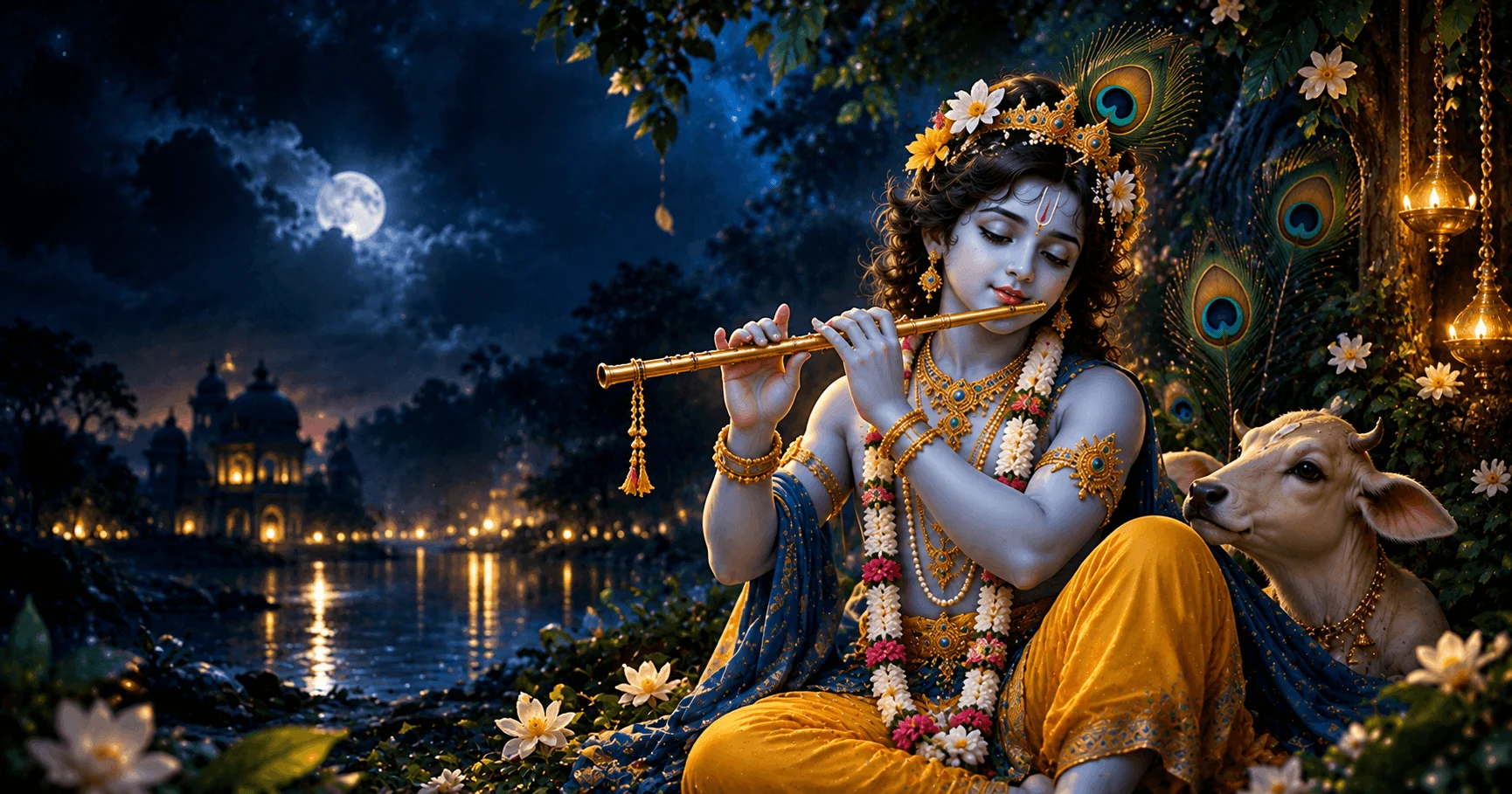
Why Choose Krishna Wallpapers for AMOLED Phones?
AMOLED displays can make dark backgrounds, bright devotional artwork, and strong color contrasts look especially attractive. A well-designed Krishna wallpaper can give your Android phone a peaceful and devotional appearance while making good use of the display.
From peaceful flute artwork to traditional Krishna illustrations, you can choose a wallpaper based on your preferred mood, color style, and screen layout. The key is to select an image that looks beautiful without making your home screen difficult to use.
Application
Krishna Wallpaper Janmashtami
Category
Collection
Reading Time
8–10 Minutes
Difficulty
Beginner
Choose a Dark Krishna Wallpaper for AMOLED Displays
Dark Krishna wallpapers can create a clean and elegant appearance on an AMOLED phone. A darker background also gives bright elements of the artwork more visual contrast, helping details such as Krishna's face, flute, clothing, or peacock feather stand out.
Look for designs that use dark blue, black, deep purple, or other darker shades around the main subject. This can be especially useful when you prefer a simple home screen with fewer visual distractions.
- Choose darker backgrounds when you prefer a minimal appearance.
- Look for clear contrast between Krishna and the background.
- Avoid overly busy artwork behind your app icons.
- Check the wallpaper preview before applying it to your phone.
Look for High-Resolution Krishna Artwork
High-resolution images can provide better flexibility when used on modern Android displays. A sharp Krishna HD or 4K wallpaper can preserve important artwork details when the image is cropped or adjusted for different screen sizes.
Resolution is not the only factor to consider. The original image quality, composition, subject placement, and aspect ratio also affect how the wallpaper looks after it is applied.
HD Krishna Wallpaper
A practical choice for clear devotional artwork and everyday Android personalization.
4K Krishna Wallpaper
Provides additional image detail and cropping flexibility when the source artwork is high quality.
Dark Krishna Artwork
Combines devotional imagery with darker backgrounds for a modern AMOLED-friendly appearance.
Choose a Krishna Wallpaper With Strong Color Contrast
AMOLED screens can make vibrant colors appear visually striking against darker backgrounds. Krishna artwork often includes blue, yellow, gold, green, saffron, and other devotional colors that can create an attractive contrast.
For a balanced screen, choose artwork where the main subject remains easy to recognize. Very bright or highly detailed backgrounds can compete with app icons and widgets, so consider how the entire image will look after it is applied.
Popular Krishna Wallpaper Colors
- Deep Blue: Creates a calm background that works naturally with Krishna artwork.
- Gold: Adds a traditional and devotional visual accent.
- Green: Works well with peacock feather and natural backgrounds.
- Saffron: Can add a warm and festive devotional feeling.
- Black: Provides a simple background for high-contrast AMOLED artwork.
Keep the Krishna Artwork Visible Behind Your Icons
A beautiful wallpaper can lose its impact if important parts of the artwork are covered by application icons and widgets. Before choosing a Krishna mobile wallpaper, consider where the main subject is positioned.
Wallpapers with the main Krishna artwork toward the center or lower portion of the image may require different icon arrangements depending on your Android launcher. Use the wallpaper preview to check the final appearance before applying it.
- Keep important facial and devotional details away from busy icon areas.
- Leave enough negative space for frequently used applications.
- Avoid placing large widgets over the main Krishna artwork.
- Check both the wallpaper and icon arrangement together.
Select a Krishna Wallpaper Style That Matches Your Screen
There are many styles of Krishna wallpapers for Android, and the best choice depends on the appearance you want. A peaceful flute scene can create a calm home screen, while a detailed devotional illustration can provide a more traditional appearance.
For an AMOLED phone, consider how the background colors interact with the display. Darker compositions can create a clean look, while colorful Krishna artwork can make the screen feel more vibrant.
Krishna With Flute
A peaceful option for users who prefer calm devotional artwork and simple compositions.
Traditional Krishna Art
Detailed devotional artwork can create a classic and spiritual appearance on your phone.
Modern Dark Design
Dark backgrounds with bright Krishna artwork can create a stylish appearance for AMOLED displays.
Use Krishna Wallpapers With a Clean Home Screen
A detailed wallpaper looks better when the home screen is not overcrowded. Too many icons, folders, or widgets can hide the artwork and make the display feel visually busy.
After selecting your Krishna wallpaper, organize your most frequently used applications so the main artwork remains visible. You can also move less important shortcuts to another home screen page.
- Keep only essential apps on the primary home screen.
- Use folders to reduce unnecessary icon clutter.
- Avoid covering the main Krishna artwork with large widgets.
- Leave some empty space so the wallpaper remains visually prominent.
Choose a Wallpaper for Your Lock Screen
The lock screen gives you another opportunity to use Krishna devotional artwork. Since the lock screen often displays the time, notifications, and other system elements, choose an image that keeps important areas easy to see.
A darker Krishna wallpaper can work well when your lock screen contains bright text or notification elements. Alternatively, a simple devotional composition can keep the screen clean and easy to read.
Lock Screen Selection Tips
- Choose artwork with enough empty space around the clock area.
- Avoid placing important details where notifications normally appear.
- Use darker backgrounds when you want stronger visual separation.
- Preview the complete lock screen before applying the wallpaper.
Check the Wallpaper Resolution Before Applying It
Android phones use different display sizes and aspect ratios, so a wallpaper may be cropped differently depending on the device. A high-resolution Krishna wallpaper gives you more flexibility when adjusting the image.
Before applying the image, check the wallpaper preview and make sure Krishna's face, flute, peacock feather, or other important devotional details are not accidentally cropped.
- Open the Krishna wallpaper on your Android phone.
- Select the wallpaper or set-as-wallpaper option.
- Preview how the image fits the screen.
- Adjust the crop or position if necessary.
- Apply the wallpaper and review the final home or lock screen.
Keep Your Favorite Krishna Wallpapers Organized
If you regularly change your Android wallpaper for festivals or personal occasions, keeping your favorite images organized can make future changes easier.
Create a dedicated folder or album for Krishna wallpapers and separate images by styles such as dark AMOLED designs, flute artwork, traditional illustrations, and festive Janmashtami wallpapers.
Simple Wallpaper Organization
- Create a dedicated Krishna wallpaper folder.
- Keep HD and 4K images organized separately if useful.
- Remove duplicate or low-quality images.
- Keep your favorite AMOLED-friendly designs easy to find.
- Back up important wallpaper collections if they are difficult to replace.
FAQ
Conclusion
Beautiful Krishna wallpapers can give an AMOLED phone a peaceful, devotional, and personalized appearance. Dark backgrounds, high-resolution artwork, strong color contrast, and thoughtful subject placement can help the wallpaper look attractive without making the screen difficult to use.
Whether you prefer Krishna flute artwork, traditional devotional images, or modern dark designs, choose a wallpaper that matches your display and personal style. Preview the image before applying it and keep your favorite Krishna wallpapers organized for future use.