Video URL Downloader
Tips & Tricks
12 Minutes
Beginner
Downloading videos to an Android phone is convenient, but a growing collection can quickly become difficult to manage. A few saved videos may be easy to find, but once your storage contains dozens or hundreds of files, randomly named videos and mixed folders can make it surprisingly difficult to locate the right file.
Good organization does not require complicated software or a complicated filing system. A simple folder structure, meaningful names, sensible categories, and a regular cleanup routine can make a large video library much easier to browse.
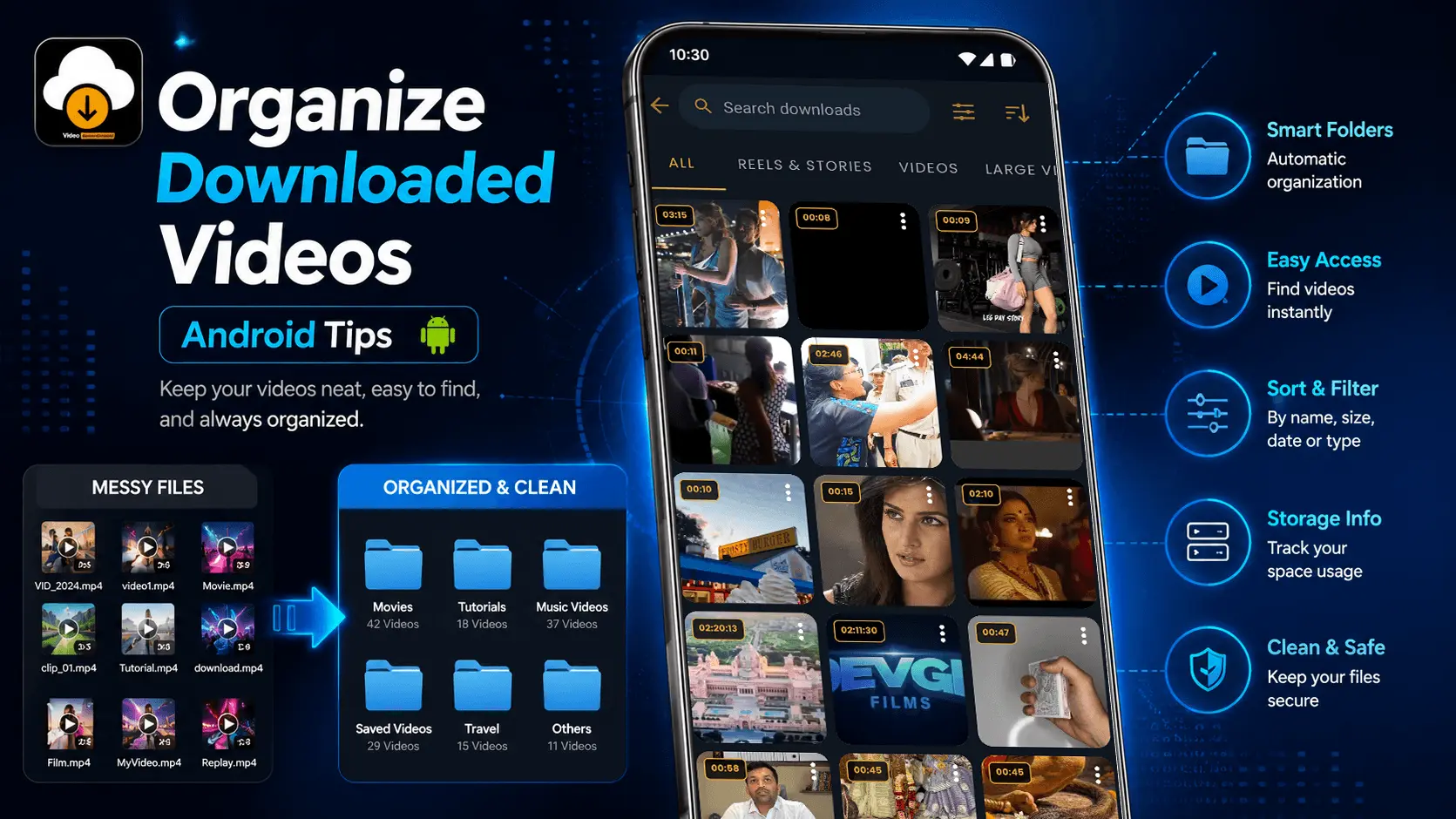
This guide explains practical ways to organize downloaded videos on Android so you can find files faster, reduce duplicates, manage storage more efficiently, and maintain a cleaner offline video library.
- Why Downloaded Videos Become Difficult to Manage
- Create a Simple Folder Structure
- Organize Videos by Category
- Use Meaningful File Names
- Organize Videos by Date or Project
- Keep Important Videos Separate
- Continue Reading: Storage and Cleanup Tips
Why Downloaded Videos Become Difficult to Manage
The problem usually starts small. You download a few useful videos and leave them in the default download location. Later, you save more files from different sources. After several weeks, the same folder may contain tutorials, entertainment videos, educational material, personal clips, and temporary files.
File names can make the situation even worse. Some downloaded files have descriptive names, while others may contain long strings of numbers, technical identifiers, or generic titles. Searching through such a collection takes more time and can lead to unnecessary duplicate downloads.
If you can identify what a video is and where it belongs without opening it, your organization system is working well.
Create a Simple Folder Structure
The easiest way to organize downloaded videos is to stop treating every file as part of one large collection. Instead, divide your library into a small number of useful folders.
Avoid creating dozens of folders for tiny categories. A folder structure should make finding a file faster, not create another layer of work every time you download something.
Example Android Video Folder Structure
Videos/
├── Tutorials/
├── Education/
├── Music/
├── Entertainment/
├── Personal/
├── Important/
└── Temporary/
This type of structure is flexible enough for most users. You can rename categories according to the way you actually use your phone rather than copying a system designed for someone else.
Organize Videos by Category
Categorizing videos makes your library easier to browse because related files stay together. Instead of remembering the exact file name, you only need to remember the type of content you are looking for.
| Category | Examples | Useful For |
|---|---|---|
| Tutorials | How-to and technical videos | Learning and reference |
| Education | Courses and lectures | Offline study |
| Music | Music and performance videos | Entertainment |
| Entertainment | Shows, clips and other media | Leisure |
| Important | Reference or work-related files | Quick access |
Use Meaningful File Names
A well-organized folder can still become difficult to search if every file has an unclear name. Renaming important videos with short, descriptive names can make a major difference.
A useful file name should tell you what the video contains without requiring you to open it. For example, instead of keeping a generic name, you can use the subject, topic, or date as part of the file name.
Difficult to Identify
- video_48291.mp4
- download_2026.mp4
- file_001.mp4
- VID_12345.mp4
Easier to Identify
- Android-Storage-Tips.mp4
- Java-Basics-Lesson-01.mp4
- Travel-Guide-Delhi-2026.mp4
- Project-Demo-Final.mp4
Follow a Consistent Naming Pattern
You do not need a complicated naming convention. Pick a format that makes sense to you and use it consistently.
Simple Naming Formula
Topic + Subject + Date or Version
Android-Backup-Guide-2026.mp4
Project-Demo-Version-02.mp4
Organize Videos by Date or Project
Categories work well for general video libraries, but date-based or project-based folders can be more useful when your downloads are connected to work, study, events, or ongoing projects.
For example, someone collecting videos for a specific project may benefit from a structure such as:
Videos/
├── Project-A/
│   ├── January-2026/
│   ├── February-2026/
│   └── Final/
│
├── Project-B/
│   ├── References/
│   └── Tutorials/
│
└── Personal/
    ├── Travel/
    └── Family/
This approach is particularly useful when the same type of video can belong to different projects or time periods.
Keep Important Videos Separate
Not every downloaded video has the same value. Some files may be useful only for a short time, while others may be important references that you want to keep for months or years. Separating these files makes your library easier to maintain.
Consider creating an Important or Reference folder for videos that you regularly need. This prevents important files from getting buried among temporary downloads.
Keep
Long-term reference videos, educational material, important tutorials, or files connected to ongoing projects.
Review
Videos you may need later but have not yet decided to keep permanently.
Temporary
Files downloaded for short-term use, such as a one-time reference or quick viewing.
Avoid Creating Too Many Folders
Organization can become counterproductive when every small topic gets its own folder. If you have to open several folders just to locate one video, the system may be too complicated.
Start with a small number of broad categories and create additional folders only when the number of files genuinely requires them.
| Too Complicated | Better Approach |
|---|---|
| Separate folder for every small topic | Use broader categories |
| Multiple nested folders | Keep important files closer to the top level |
| Duplicate category names | Use clear and unique folder names |
| Folders created before they are needed | Create folders as the library grows |
Make Videos Easier to Find
A good organization system should reduce the time required to locate a video. Folders and file names work together to make searching faster.
A Simple Search Strategy
- Start with the broad category.
- Look for the subject or topic.
- Check the file name or date.
- Open the video only after narrowing the results.
For example, if you're looking for an Android tutorial, checking a Tutorials folder is much faster than searching through a single folder containing hundreds of unrelated videos.
Find and Remove Duplicate Videos
Duplicate files are one of the most common reasons Android storage becomes unnecessarily full. The same video may be downloaded more than once, saved with different names, or stored in multiple folders.
Before deleting a possible duplicate, compare the file names, duration, resolution, and file size. Two videos that look similar may not necessarily be identical.
Always verify that the file is actually a duplicate and that you do not need one of the copies for a different purpose.
Organize Videos With Storage in Mind
Video files can consume significantly more storage than documents or images. A well-organized library should therefore include a simple storage management habit.
Keep
- Important reference videos
- Frequently watched content
- Long-term educational material
- Project-related files
Remove When Finished
- Temporary downloads
- Duplicate files
- Outdated references
- Videos you no longer need
Use a Consistent Download Location
Keeping downloaded videos in a predictable location makes them easier to manage. If your files are scattered across several unrelated folders, it becomes harder to remember where a particular video was saved.
A dedicated video location can also make regular cleanup easier because you know where to look when reviewing older downloads.
Example
Instead of keeping videos across random application folders, maintain a clear main video directory and organize content underneath it according to your needs.
Follow a Simple Video Cleanup Routine
You do not need to reorganize your entire library every day. A short review once a week or whenever your storage starts getting full can keep the collection under control.
| Step | Action |
|---|---|
| 1 | Review newly downloaded videos. |
| 2 | Move files into the appropriate category. |
| 3 | Rename important files if necessary. |
| 4 | Identify duplicates. |
| 5 | Delete temporary files you no longer need. |
| 6 | Check remaining storage space. |
A Practical System for a Large Video Library
If you regularly download videos, a combination of folders, naming rules, and periodic cleanup provides a reliable long-term system.
Videos/
│
├── Tutorials/
│   ├── Android/
│   └── Technology/
│
├── Education/
│   ├── Courses/
│   └── Reference/
│
├── Music/
│
├── Entertainment/
│
├── Important/
│
└── Temporary/
The goal is not to create the most sophisticated folder structure. The goal is to create a system that you can maintain without thinking about it every time you download a new video.
Build a Video Organization System You Can Maintain
The best organization method is not necessarily the most detailed one. It is the system you can continue using every time you download a new video. A simple structure with clear categories is usually more useful than a complicated collection of deeply nested folders.
Before downloading another video, think about where you will find it later. If you already know its category and naming pattern, organizing the file immediately takes only a few seconds.
Download → Categorize → Rename if needed → Review → Remove when no longer useful.
Quick Checklist for an Organized Video Library
- Keep downloaded videos in a predictable location.
- Create a small number of broad categories.
- Use descriptive file names for important videos.
- Separate temporary files from videos you want to keep.
- Review duplicate files before deleting them.
- Remove videos you no longer need.
- Check available storage regularly.
- Keep important reference videos in a dedicated location.
When Should You Reorganize Downloaded Videos?
You do not need to wait until your Android storage is almost full before organizing your videos. Small, regular maintenance is easier than trying to sort hundreds of files at once.
| Situation | Recommended Action |
|---|---|
| After downloading several videos | Move them into the correct categories. |
| Storage is getting low | Review large and temporary video files. |
| Can't find a video quickly | Improve folder or file naming structure. |
| Many duplicate files appear | Compare and remove unnecessary copies. |
| Project or course is finished | Archive or remove related temporary videos. |
Organize Videos Before Your Library Gets Too Large
It is easier to maintain an organized collection from the beginning than to reorganize a large, mixed folder later. If you regularly save videos for offline use, create your preferred folder structure once and follow it consistently.
A simple system also makes it easier to identify which videos are worth keeping. When files are clearly categorized, you can quickly review older content and remove items that are no longer useful without accidentally deleting something important.
7 Simple Habits for Better Android Video Management
1. Use Consistent Folders
Keep similar videos together instead of allowing everything to accumulate in one download folder.
2. Rename Important Files
Give useful videos descriptive names so you can identify them without opening each file.
3. Separate Temporary Content
Keep short-term downloads away from videos you intend to retain.
4. Review Duplicates
Check for repeated files before your storage becomes unnecessarily crowded.
5. Monitor Storage
High-resolution videos can consume substantial space, so review storage regularly.
6. Archive Useful Content
Move long-term reference videos into a dedicated folder rather than mixing them with recent downloads.
7. Clean Regularly
A short regular cleanup keeps your video library useful and prevents unnecessary storage consumption.
Conclusion
Organizing downloaded videos on Android does not have to be complicated. A small number of meaningful folders, consistent file names, and a simple cleanup routine can transform a crowded collection into a library that is easy to browse.
Start with the videos you already have. Separate important content from temporary downloads, group related files together, rename the videos that matter most, and remove duplicates or outdated files. Once your basic system is in place, continue using the same approach whenever you download something new.
The goal is simple: when you need a particular video later, you should be able to find it quickly without searching through hundreds of unrelated files.
Frequently Asked Questions
Keep Your Downloaded Videos Organized
Download, manage, and keep your video collection easier to organize with a practical Android video workflow.