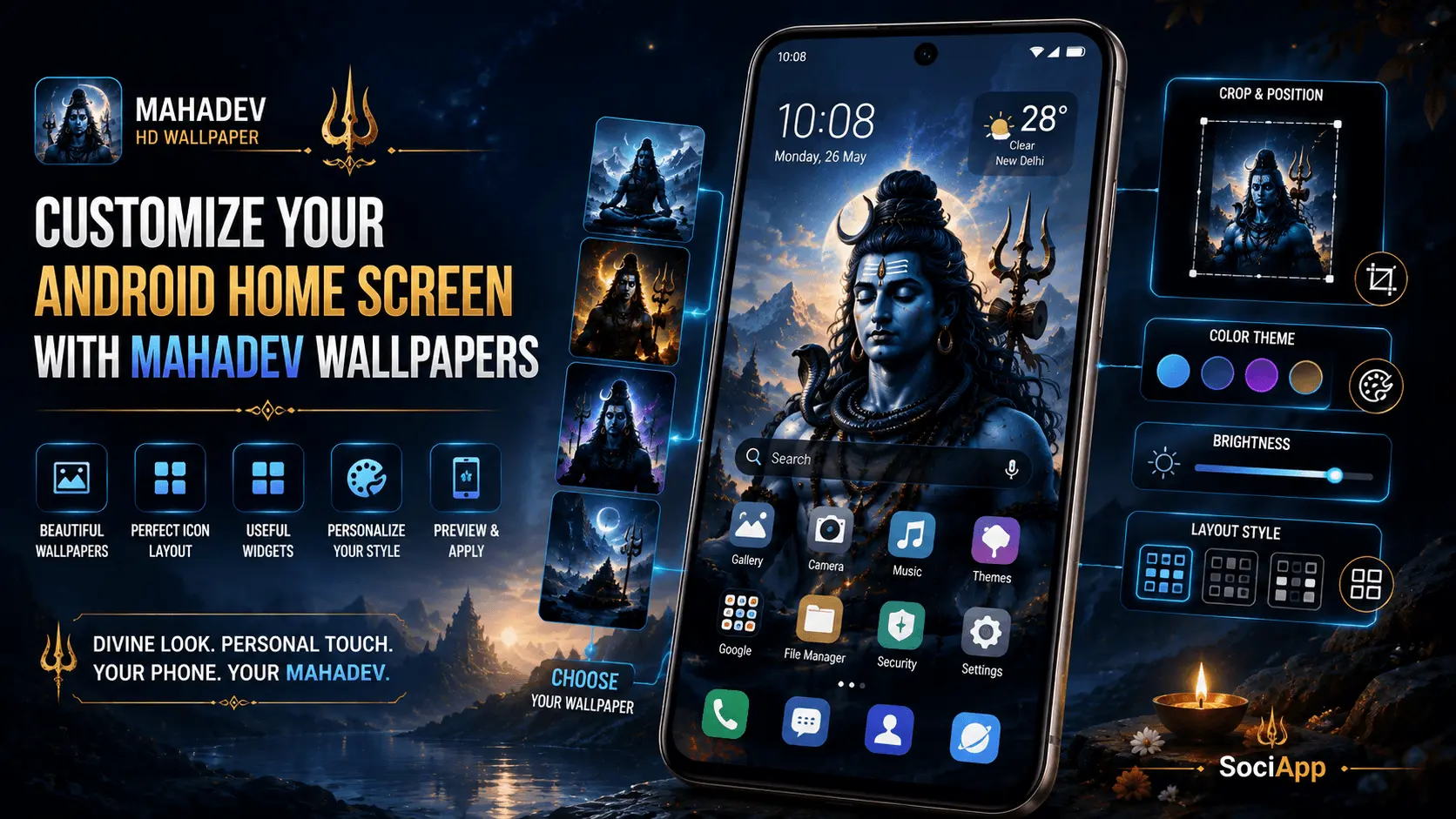
Mahadev HD Wallpaper
Personalization
Android Home Screen
Devotional + Modern
Your Android home screen is one of the parts of your phone you see most often. Changing its wallpaper can instantly change the visual character of the device without requiring a complicated customization setup.
Mahadev wallpapers are particularly versatile because they are available in many artistic styles. You can choose a peaceful portrait of Lord Shiva, a dramatic Himalayan scene, a meditation-inspired composition, a trishul-focused design, or a minimal dark wallpaper for a cleaner home screen.
However, choosing a beautiful image is only one part of creating a good home-screen setup. The wallpaper also needs to work with application icons, widgets, folders, the status area, and the display dimensions of your Android phone.
In this guide, you will learn how to customize your Android home screen with Mahadev wallpapers while keeping the result visually balanced, readable, and practical.
- Why Mahadev Wallpapers Work Well for Personalization
- How to Choose the Right Mahadev Wallpaper
- Choose the Right Portrait Composition
- Keep App Icons Readable
- Match Wallpaper Colors With Your Interface
- Use Dark Mahadev Wallpapers
- Continue to Part 2
Why Mahadev Wallpapers Work Well for Android Personalization
Mahadev wallpaper designs can range from highly detailed devotional artwork to simple, minimal compositions. This variety makes it possible to choose an image based not only on devotional preference but also on the visual layout of your Android home screen.
A detailed Lord Shiva portrait can become the main focal point of your home screen, while a minimalist silhouette can leave more space for application icons. Similarly, a Himalayan landscape can create depth around widgets and folders.
| Wallpaper Style | Home-Screen Character | Best For |
|---|---|---|
| Mahadev Portrait | Strong focal point | Simple icon layouts |
| Meditative Shiva | Peaceful and minimal | Clean home screens |
| Himalayan Scene | Scenic and immersive | Widgets and folders |
| Trishul-Based Design | Bold and symbolic | Minimal layouts |
| Dark AMOLED Style | Modern and dramatic | Dark-themed interfaces |
How to Choose the Right Mahadev Wallpaper
Start by deciding what role you want the wallpaper to play on your home screen. If the wallpaper should be the main visual element, you can select a detailed Mahadev HD wallpaper with a strong central composition.
If you have many applications, folders, or widgets, a simpler background may work better. Excessive detail behind icons can make the home screen feel crowded and can reduce the visibility of application labels.
Ask Yourself These Questions
- Do I want Mahadev to be the main focal point?
- How many application icons will appear over the wallpaper?
- Will I use widgets?
- Do I prefer a bright or dark interface?
- Do I want a peaceful, traditional, dramatic, or minimal look?
- Does the image fit my phone's portrait display?
Step 1: Choose the Right Portrait Composition
Most modern smartphones use a tall portrait-oriented display. For this reason, a Mahadev wallpaper designed specifically for a vertical screen can often provide a better result than a landscape image that needs to be heavily cropped.
Pay attention to where Mahadev's face, trishul, damru, crescent moon, or other important visual elements are positioned. These details should remain visible after the wallpaper is cropped to fit your particular device.
| Composition | Potential Advantage |
|---|---|
| Centered Portrait | Strong and symmetrical visual focus. |
| Subject Slightly Lower | Can leave space for status or widget areas. |
| Subject to One Side | Can create space for application icons or widgets. |
| Full-Scene Landscape | Creates depth and a more immersive appearance. |
Step 2: Keep App Icons Readable
One of the most important parts of Android home-screen personalization is maintaining good contrast between the wallpaper and your application icons.
A highly detailed image may look excellent by itself but become visually distracting once dozens of icons are placed over it. Similarly, a very bright area behind white icons can make them difficult to recognize.
Good Combination
- Moderate background detail.
- Clear contrast around icons.
- Dark or softly textured icon areas.
- Main Mahadev artwork positioned away from dense icon groups.
Avoid
- Extremely busy backgrounds.
- Similar colors behind icons.
- Important artwork hidden underneath icons.
- Excessive visual effects behind application labels.
Step 3: Match Wallpaper Colors With Your Android Interface
The colors in your Mahadev wallpaper can influence how the entire home screen feels. Instead of choosing an image based only on the artwork, consider how its dominant colors interact with your icons, widgets, and system interface.
| Wallpaper Colors | Visual Character | Suitable Interface Style |
|---|---|---|
| Deep Blue + Black | Calm and dramatic | Dark interface |
| Blue + Gold | Rich and traditional | Simple icon layout |
| White + Light Blue | Bright and peaceful | Light interface |
| Purple + Blue | Modern and atmospheric | Minimal icon arrangement |
| Green + Blue | Natural and refreshing | Scenic home screen |
Step 4: Try a Dark Mahadev Wallpaper
Dark Mahadev wallpapers can create a sophisticated and dramatic appearance, especially when paired with a dark Android interface. Deep black, navy, indigo, purple, and dark green backgrounds can make brighter elements of the artwork stand out.
Dark designs can also provide strong contrast with lighter artwork details such as the crescent moon, ornaments, trishul, damru, or facial highlights.
On OLED or AMOLED displays, black areas can appear visually deep because individual pixels can be turned off. However, battery impact depends on the display, brightness, device settings, and how much of the screen is actually dark. Do not assume that every dark wallpaper will produce a specific battery saving.
Minimal Mahadev Wallpapers for a Clean Home Screen
If you prefer a simple Android layout, a minimal Mahadev wallpaper can be an excellent choice. Minimal designs may use a Shiva silhouette, trishul, Om-inspired decorative elements, a subtle Himalayan background, or a single portrait with plenty of negative space.
The advantage of minimal artwork is that it gives your application icons and widgets room to breathe. The wallpaper remains recognizable without competing with the Android interface.
Minimal Design Ideas
- Mahadev silhouette against a gradient sky.
- Simple trishul with a dark background.
- Meditative Shiva portrait with soft negative space.
- Himalayan mountain scene with a subtle Mahadev figure.
- Monochrome Shiva artwork with one accent color.
Detailed Mahadev Artwork for a Strong Visual Impact
Detailed Mahadev HD wallpapers can work especially well when you want the wallpaper itself to be the centerpiece of your home screen.
These images may contain Himalayan landscapes, clouds, temples, rivers, celestial lighting, traditional ornaments, trishul details, Nandi, or other devotional visual elements.
If you choose a highly detailed image, consider reducing the number of home-screen icons or moving some applications into folders. This can help preserve the visual impact of the artwork.
A Beautiful Wallpaper Needs a Balanced Home Screen
The best Android personalization setup is not necessarily the wallpaper with the most detail. It is the combination of artwork, icons, widgets, colors, and spacing that feels comfortable to use every day.
Start with the Mahadev wallpaper you like most, then adjust the home-screen layout around it instead of allowing icons and widgets to hide the most important parts of the artwork.
The next section covers widgets, wallpaper positioning, cropping, resolution, lock-screen customization, AMOLED design choices, and practical Mahadev home-screen layouts.
Step 5: Balance Widgets With Your Mahadev Wallpaper
Widgets can make an Android home screen more useful, but they can also cover important parts of a wallpaper. Before adding several widgets, look at the composition of your Mahadev wallpaper and identify the areas where the artwork has the most important details.
If the face of Mahadev, trishul, crescent moon, or another focal element is positioned where a clock or weather widget normally appears, consider moving the widget or choosing another wallpaper composition.
| Home-Screen Element | Personalization Tip |
|---|---|
| Clock Widget | Keep it away from important facial or symbolic details. |
| Weather Widget | Place it over a relatively simple background area. |
| App Icons | Use clear areas with sufficient contrast. |
| Folders | Group less frequently used apps to reduce visual clutter. |
| Search Bar | Position it where it does not cover the main artwork. |
Step 6: Position and Crop the Wallpaper Carefully
Android devices can use different screen dimensions and aspect ratios. As a result, a wallpaper may be cropped or repositioned when you apply it.
Before confirming the wallpaper, use the preview provided by your phone to check whether the important parts of the Mahadev artwork remain visible.
Check These Areas During Preview
- Mahadev's face should remain visible.
- Important devotional elements should not be cropped.
- Application icons should not cover the main subject.
- Widgets should not hide important artwork.
- The image should look balanced from top to bottom.
Step 7: Choose the Right Wallpaper Resolution
A high-resolution Mahadev wallpaper can provide better detail on modern smartphone displays. However, resolution alone does not determine whether an image will look good. The source image should also have a suitable aspect ratio and sufficient visual quality.
Using an image that is significantly smaller than your phone's display can lead to scaling and reduced sharpness. On the other hand, an unnecessarily large file may take up more storage without providing a visible benefit on your particular display.
| Wallpaper Characteristic | Why It Matters |
|---|---|
| High Resolution | Helps preserve fine artwork details. |
| Portrait Orientation | Better suited to most smartphone displays. |
| Correct Aspect Ratio | Can reduce unwanted cropping. |
| Good Source Quality | Helps avoid visible blur or compression artifacts. |
Lock Screen vs Home Screen: Use Different Mahadev Styles
You do not necessarily need to use the same Mahadev wallpaper on both the lock screen and the home screen. Using different designs can create a more personalized experience.
A detailed Mahadev portrait can work well on a lock screen because there may be fewer application icons competing with the artwork. For the home screen, a simpler design with more negative space may provide better icon visibility.
| Screen | Recommended Wallpaper Character |
|---|---|
| Lock Screen | Detailed portrait, scenic artwork, or dramatic Mahadev composition. |
| Home Screen | Minimal, balanced, or icon-friendly composition. |
| Both Screens | A coordinated pair using similar colors or visual themes. |
Create a Clean Mahadev Home-Screen Layout
A good wallpaper can lose its visual impact if the home screen is overloaded with application icons and widgets. Consider reducing unnecessary shortcuts and grouping less frequently used applications into folders.
Minimal Layout
Use a small number of important applications and one or two useful widgets.
Balanced Layout
Combine essential apps, folders, and widgets while leaving visible areas of the wallpaper.
Functional Layout
Prioritize frequently used apps while choosing wallpaper areas that maintain good readability.
Mahadev Wallpaper Ideas for Different Moods
Your wallpaper can also reflect the visual mood you want whenever you unlock your phone. Different artistic compositions create very different impressions even when they feature the same subject.
| Mood | Mahadev Wallpaper Idea |
|---|---|
| Peaceful | Meditating Mahadev surrounded by a calm Himalayan landscape. |
| Powerful | Mahadev with a strong trishul-focused composition. |
| Traditional | Detailed devotional artwork with traditional ornaments and symbolism. |
| Minimal | Shiva silhouette or simple trishul on a clean background. |
| Natural | Mahadev artwork combined with mountains, rivers, clouds, and greenery. |
| Modern | Stylized blue and purple composition with clean visual elements. |
Change Your Mahadev Wallpaper for Festivals and Occasions
One benefit of digital wallpapers is that you can change your home-screen appearance whenever you want. You might choose a different Mahadev wallpaper for a festival, a special occasion, or simply when you want a new visual style.
For example, a bright devotional composition can create a festive appearance, while a dark minimalist Shiva design may suit everyday use.
Wallpaper Rotation Ideas
- Everyday: Minimal or peaceful Mahadev artwork.
- Festival: Rich devotional artwork with decorative elements.
- Night: Dark or AMOLED-friendly composition.
- Seasonal: Himalayan landscapes or nature-focused artwork.
- Personal Preference: Any original Mahadev artwork that fits your visual style.
Coordinate Your Icons, Widgets, and Wallpaper
The wallpaper does not have to match every element of your Android interface exactly. Instead, aim for a consistent visual balance.
For example, a dark blue Mahadev wallpaper can work with a dark interface and bright icons, while a light Himalayan scene may work better when important interface elements have sufficient contrast.
If your icons are difficult to read after applying a wallpaper, try changing the wallpaper crop, reducing background detail, adjusting the icon arrangement, or selecting a different image.
A Simple Mahadev Home-Screen Personalization Workflow
- Choose your visual style. Decide whether you want a peaceful, dramatic, traditional, natural, or minimal Mahadev design.
- Select a suitable portrait image. Prefer a high-resolution vertical composition when possible.
- Preview the wallpaper. Check how it fits your phone's display.
- Arrange your icons. Keep important artwork areas visible.
- Add only useful widgets. Avoid covering the main subject.
- Make final adjustments. Change the crop, layout, or wallpaper if the result feels crowded.
Personalization Is About More Than the Wallpaper
A great Android home screen combines the right Mahadev wallpaper with a practical icon arrangement, useful widgets, suitable colors, and a display-friendly composition.
Once the basic setup is complete, you can experiment with different wallpaper styles without changing the entire phone configuration.
The final section covers common personalization mistakes, wallpaper selection tips, a complete Mahadev home-screen checklist, FAQs, conclusion, and the Mahadev HD Wallpaper CTA.
Common Mahadev Wallpaper Customization Mistakes
A beautiful Mahadev wallpaper can make your Android home screen feel more personal, but the wrong image or layout can make the interface difficult to use. Avoiding a few common mistakes can help you create a cleaner result.
| Mistake | Better Approach |
|---|---|
| Wallpaper is too busy | Choose a simpler image or reduce the number of icons. |
| Mahadev's face is covered by icons | Move icons or choose a different composition. |
| Widgets hide important artwork | Move widgets to a less detailed area. |
| Wallpaper looks blurry | Use a higher-quality source image suitable for your display. |
| Important elements are cropped | Adjust the wallpaper position or choose a better portrait composition. |
| Icons are difficult to read | Use a wallpaper with better contrast around the icon area. |
| Too many visual elements | Keep the wallpaper and home-screen layout visually balanced. |
| Using the same image everywhere | Consider separate designs for the lock screen and home screen. |
Tips for Choosing the Best Mahadev Wallpaper for Your Home Screen
The best Mahadev wallpaper is ultimately a matter of personal preference, but a few practical considerations can make your choice easier.
For a Minimal Home Screen
- Choose a simple Mahadev silhouette or portrait.
- Leave plenty of negative space.
- Use fewer icons and widgets.
- Consider a dark or monochrome design.
For a Detailed Home Screen
- Choose a strong central Mahadev composition.
- Keep icons away from important artwork.
- Use folders to reduce icon clutter.
- Keep widgets limited to useful information.
Choosing Mahadev Wallpapers for AMOLED Displays
If your Android phone uses an OLED or AMOLED display, dark Mahadev wallpapers can create a particularly striking visual appearance. Black and deep-blue backgrounds can provide strong contrast against brighter elements of the artwork.
A dark wallpaper may also complement Android's dark interface, making the overall home screen feel more consistent.
Keep in mind that display technology, brightness, interface settings, and the actual amount of black content on the screen all affect power consumption. A dark wallpaper should therefore be chosen primarily for its appearance and usability rather than a guaranteed battery benefit.
Good AMOLED-Friendly Design Characteristics
- Deep black or dark-blue background.
- Bright highlights around Mahadev.
- Limited unnecessary background detail.
- Strong contrast around application icons.
- Clean composition suitable for a portrait display.
Choose a Mahadev Wallpaper That Matches Your Personal Style
Mahadev wallpapers can communicate very different visual moods. You might prefer a peaceful meditation scene, a majestic Himalayan composition, a traditional devotional portrait, or a minimal symbolic design.
There is no single wallpaper style that works for everyone. The best choice is the one that fits both your personal preference and the practical layout of your Android home screen.
| Preference | Wallpaper Style |
|---|---|
| Peaceful | Meditating Mahadev with soft natural surroundings. |
| Traditional | Detailed devotional Shiva artwork. |
| Powerful | Strong Mahadev and trishul-focused composition. |
| Minimal | Silhouette, trishul, or simple Shiva artwork. |
| Nature | Mahadev surrounded by mountains, rivers, and clouds. |
| Modern | Stylized blue, purple, or atmospheric digital artwork. |
Complete Mahadev Home-Screen Personalization Checklist
- ✓ Choose a Mahadev wallpaper that matches your preferred style.
- ✓ Prefer a suitable portrait composition for your Android display.
- ✓ Use a sufficiently high-resolution image.
- ✓ Preview the wallpaper before applying it.
- ✓ Keep Mahadev's face and important artwork visible.
- ✓ Make sure application icons remain readable.
- ✓ Avoid covering important artwork with widgets.
- ✓ Consider a minimal design for a heavily populated home screen.
- ✓ Consider a dark wallpaper for a dark interface.
- ✓ Consider AMOLED-friendly artwork if appropriate for your display.
- ✓ Use different wallpapers for lock screen and home screen if desired.
- ✓ Keep folders and icons organized.
- ✓ Remove unnecessary widgets and shortcuts.
- ✓ Check the wallpaper after changing your home-screen layout.
Frequently Asked Questions
Conclusion
Customizing your Android home screen with Mahadev wallpapers is a simple way to give your phone a more personal and devotional visual style. The key is to choose an image that works with your display rather than selecting artwork based only on how it looks by itself.
Start with a high-resolution portrait-oriented Mahadev wallpaper and preview how it fits your phone. Pay attention to the position of Mahadev's face and other important elements, then arrange your application icons and widgets so they do not hide the artwork.
Minimal wallpapers can be especially useful for busy home screens, while detailed Himalayan or devotional compositions can create a stronger visual centerpiece when you have fewer icons. Dark and AMOLED-friendly designs can also provide a distinctive modern appearance.
Most importantly, your wallpaper should be comfortable to use every day. Choose a Mahadev design that matches your personal taste, maintain good icon readability, and adjust the layout whenever your home screen becomes crowded.
With the right combination of wallpaper, icons, widgets, colors, and spacing, you can create an Android home screen that feels both visually appealing and practical.
Find Your Mahadev Home-Screen Style
Explore Mahadev HD wallpapers and personalize your Android phone with devotional artwork designed for different moods, displays, and home-screen layouts.