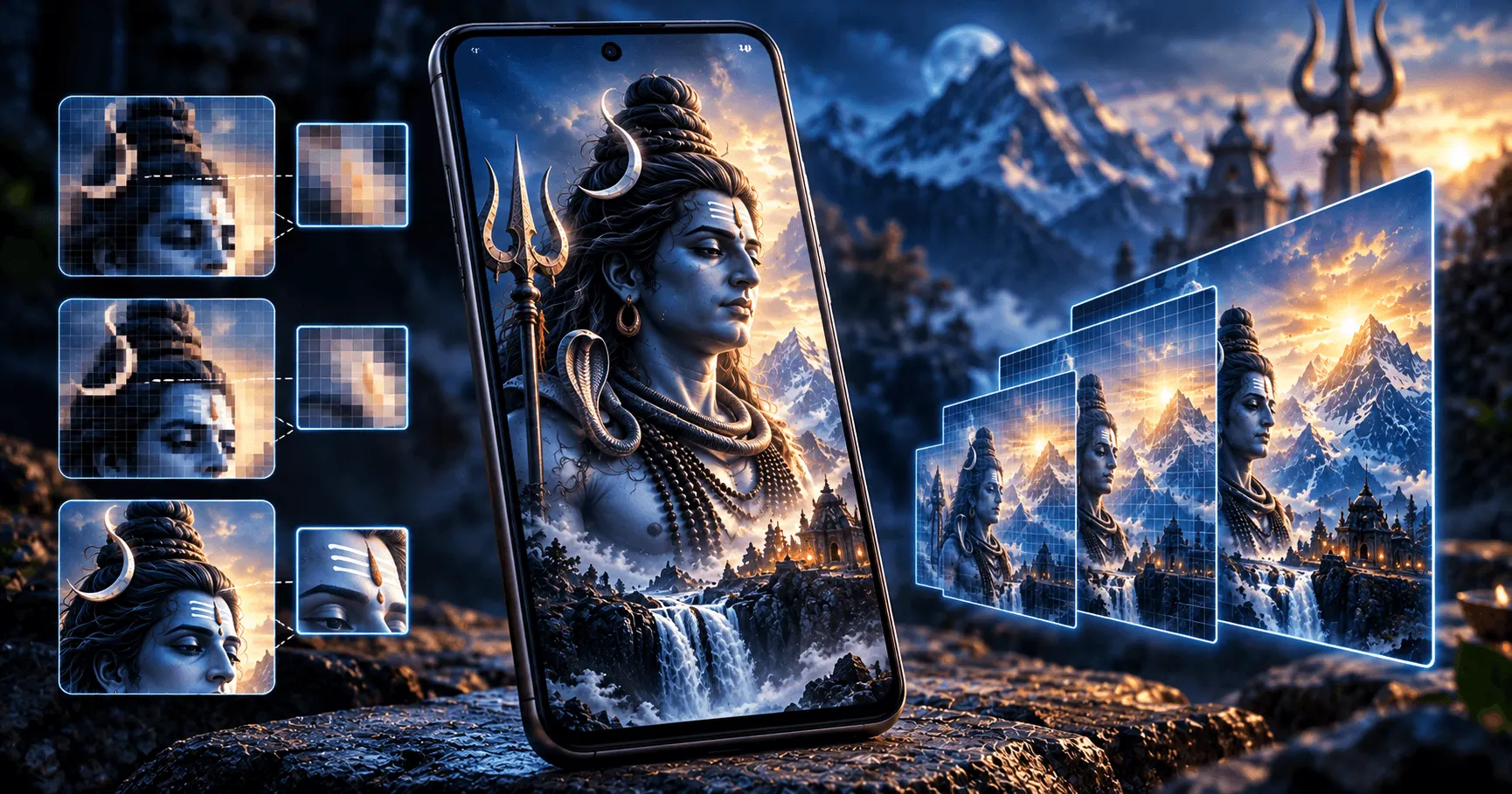
Application
Mahadev HD Wallpaper
Category
Wallpaper Guide
Reading Time
8–10 Minutes
Difficulty
Beginner
Why Wallpaper Resolution Matters on Android
Choosing the right wallpaper resolution can make a noticeable difference in how a Mahadev wallpaper looks on an Android phone. A suitable resolution helps preserve details, keeps the artwork sharp, and reduces unnecessary cropping when the image is applied to the screen.
Modern Android phones are available with many different display sizes and resolutions. Because of this, there is no single wallpaper resolution that is perfect for every device. The best choice depends on your phone's screen, the wallpaper dimensions, and how the image is displayed.
Understanding the difference between HD, Full HD, 2K, and 4K wallpapers can help you select an image that provides a good balance between visual quality and practical file size.
Understand Android Screen Resolution
Screen resolution describes the number of pixels displayed across the width and height of a screen. A phone with a higher-resolution display can show more image detail, provided the wallpaper itself contains enough detail.
For example, a wallpaper designed for a lower-resolution display may not look as sharp when enlarged significantly on a higher-resolution phone. Similarly, using an extremely large image does not automatically make a wallpaper look better if the original artwork is poorly composed or compressed.
Common wallpaper resolution categories
- HD: Suitable for many basic and older smartphone displays.
- Full HD: A practical option for many Android phones.
- 2K: Provides additional detail for higher-resolution displays.
- 4K: Offers a very high-resolution source for detailed artwork and larger displays.
HD vs Full HD Wallpapers for Android
HD wallpapers can work well when the phone has a relatively modest display resolution or when you want smaller image files. Full HD wallpapers provide more pixels and can preserve additional detail on compatible screens.
For a Mahadev wallpaper containing detailed ornaments, facial features, textures, mountains, temples, or other artwork, Full HD can provide a useful balance between image quality and file size.
Instead of choosing the largest available image automatically, consider whether the resolution matches your phone and whether the image itself is high quality.
When Should You Choose a 2K Wallpaper?
A 2K wallpaper can be useful when your Android phone has a high-resolution display and you want more detail than a standard Full HD image can provide.
Higher-resolution Mahadev artwork can be particularly useful for detailed devotional designs where fine elements are important. However, the final appearance also depends on the original image quality, screen size, and how Android scales or crops the wallpaper.
When Is a 4K Mahadev Wallpaper Useful?
4K wallpapers can be a good choice when you want highly detailed Mahadev artwork and your Android device has a high-resolution display. A large source image gives you more pixels to work with when the wallpaper is scaled or cropped.
4K can be especially attractive for artwork containing fine details such as Shiva's ornaments, facial features, trishul designs, mountain landscapes, clouds, temples, and other decorative elements.
However, a 4K file can be considerably larger than an HD or Full HD image. If storage space or download size matters to you, a lower-resolution wallpaper may be a more practical choice.
Match Wallpaper Resolution With Your Phone Display
The ideal wallpaper resolution should be appropriate for the display you are using. Check your Android phone's display specifications and compare them with the dimensions of the wallpaper before choosing an image.
A wallpaper that is close to or higher than your screen's native resolution can generally provide enough detail for a sharp result. If the image is much smaller than the display, Android may enlarge it, which can make the artwork appear less detailed.
Simple selection rule
Choose a wallpaper with enough resolution for your display, while avoiding unnecessarily large files when they do not provide a visible benefit.
Consider the Aspect Ratio of Your Android Screen
Resolution is only one part of choosing a suitable wallpaper. The aspect ratio of your phone's display also affects how the image fits on the screen.
If the wallpaper has a different shape from your display, Android may crop portions of the image when applying it. This can remove important parts of a Mahadev composition or shift the position of the main subject.
Choose an image with dimensions that work well with your phone's screen shape and preview it before applying it.
Think About Wallpaper Cropping
Even a high-resolution image may not look right if the main subject is positioned poorly for your screen. Mahadev wallpapers often contain a central figure, trishul, crescent moon, mountains, or other important visual elements that you may want to keep visible.
Before setting the wallpaper, check the preview and adjust the image position when your Android launcher provides that option. Make sure important details are not hidden by cropping or home screen icons.
Balance Image Quality and File Size
Higher resolution usually means more image data, which can increase the file size. For users who frequently download wallpapers, choosing extremely large files for every image can use additional storage unnecessarily.
If your phone display does not benefit noticeably from a very large wallpaper, an appropriately sized HD or Full HD image may be enough for everyday use.
HD
Useful when smaller file sizes and basic display requirements are more important.
Full HD
A practical balance for many Android phones and detailed wallpaper artwork.
2K / 4K
Useful when you want additional detail and your display can make use of the higher-resolution source.
Choose Resolution Based on How You Use Your Wallpaper
Your wallpaper habits can also influence the best resolution. If you change wallpapers frequently and keep a large collection, smaller appropriately sized files can make storage management easier.
If you use one favorite Mahadev wallpaper for a long time and want maximum detail on a high-resolution display, a higher-resolution image may be worth choosing.
The goal is to select a resolution that provides the visual quality you actually need rather than automatically choosing the largest available file.
Check the Original Image Quality
A high resolution number does not guarantee a high-quality wallpaper. An image that has been enlarged from a small source may technically have large dimensions but still appear soft or lack fine detail.
Look for wallpapers with clear artwork, sharp edges, balanced lighting, and minimal compression. For more Mahadev wallpaper ideas, explore our collection of Mahadev HD wallpapers for Android.
Use Higher Resolution When You Want More Cropping Flexibility
A higher-resolution wallpaper can give you more flexibility when the image needs to be cropped to fit your Android screen. This can be useful when the original artwork has extra space around the main Mahadev subject.
For example, a high-resolution image may allow you to reposition the artwork without losing as much detail. This can help when the phone's aspect ratio is different from the wallpaper's original dimensions.
Consider Home Screen and Lock Screen Separately
The best wallpaper resolution and composition can differ between the lock screen and home screen. A lock screen usually has fewer icons, so a detailed Mahadev image can remain more visible.
The home screen contains app icons and widgets, so a simpler composition with clear space can work better. When choosing a wallpaper, consider where you plan to use it rather than focusing only on resolution.
Avoid Choosing Resolution Based Only on the “4K” Label
The 4K label can make a wallpaper appear more impressive, but resolution should not be the only factor in your decision. A properly sized Full HD or 2K wallpaper with excellent artwork can look better than a low-quality image that has simply been enlarged.
Check the actual image clarity, composition, aspect ratio, and compatibility with your phone. These factors work together to determine how good the final wallpaper looks.
A Simple Wallpaper Resolution Selection Guide
If you are unsure which resolution to choose, use your phone's display resolution as the starting point and then consider your storage and wallpaper habits.
Quick selection guide
- Lower-resolution display: HD or Full HD may be sufficient.
- Full HD display: Full HD is a practical starting point.
- Higher-resolution display: Consider 2K or a higher-resolution source.
- Detailed artwork: A higher-resolution source can preserve more visual detail.
- Limited storage: Choose an appropriate resolution instead of automatically downloading the largest file.
Frequently Asked Questions
Conclusion
Choosing the best wallpaper resolution for an Android screen is about finding the right balance between display quality, image dimensions, cropping flexibility, and file size. HD, Full HD, 2K, and 4K wallpapers can all be useful depending on the phone and the type of Mahadev artwork you prefer.
Before applying a wallpaper, consider your phone's screen resolution and aspect ratio, check the original image quality, and preview how the artwork fits. A well-sized and well-composed Mahadev wallpaper can provide a sharp and beautiful Android home screen without unnecessarily using storage.