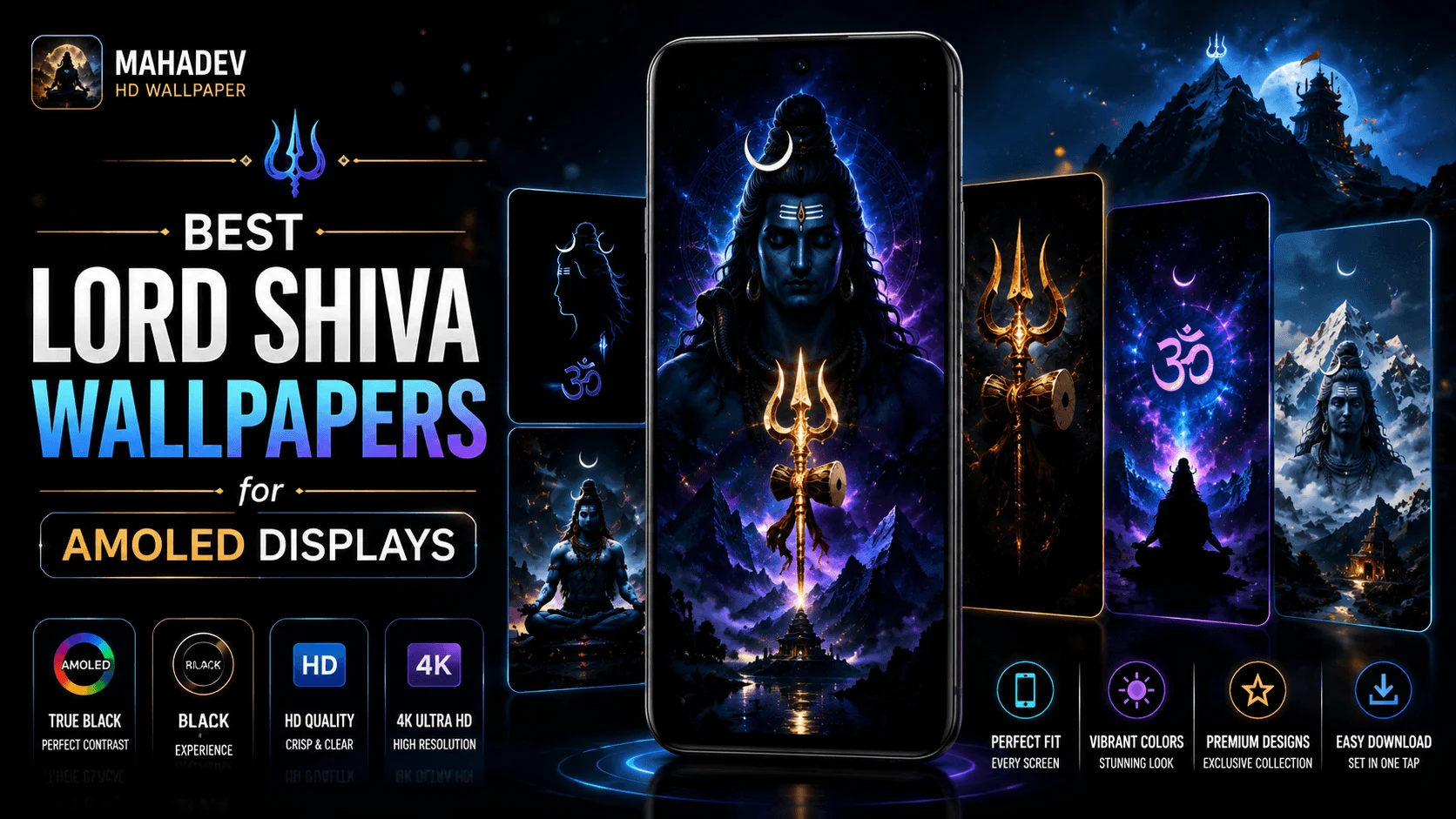
Mahadev HD Wallpaper
Collection
Android
AMOLED Wallpapers
AMOLED displays can make dark wallpapers look especially impressive because individual pixels can turn off completely when displaying true black. This creates deep blacks, strong contrast, and a clean appearance that can make a carefully designed wallpaper stand out without filling the screen with unnecessary brightness.
For Lord Shiva and Mahadev themed wallpapers, dark backgrounds can also create a dramatic and peaceful visual style. A Shiva silhouette, Trishul, crescent moon, Himalayan landscape, or subtle devotional artwork can be combined with black space and carefully controlled highlights to create a wallpaper that looks excellent on an AMOLED phone.
Choosing an AMOLED wallpaper is not simply about finding the darkest image available. Resolution, composition, contrast, brightness, color balance, aspect ratio, and the position of icons all influence how the wallpaper looks on an Android display.
This collection guide explores the best types of Lord Shiva wallpapers for AMOLED displays, how to choose the right design for your phone, and how to get a sharp, balanced result on both the home screen and lock screen.
- Why AMOLED Displays Work Well With Dark Wallpapers
- What Makes a Good Shiva AMOLED Wallpaper?
- Best Lord Shiva Wallpaper Styles
- Black and Minimal Shiva Wallpapers
- Mahadev Silhouette Wallpapers
- Shiva With Trishul Designs
- Cosmic Shiva Wallpapers
- Himalayan and Kailash Themes
- Continue: More AMOLED Wallpaper Styles
Why AMOLED Displays Work Well With Dark Wallpapers
AMOLED technology differs from traditional LCD displays because individual pixels can emit their own light. When a pixel needs to display true black, it can remain switched off rather than using a separate backlight.
This makes black and dark wallpapers particularly attractive on AMOLED screens. Large areas of black can create strong contrast around brighter elements such as a glowing Trishul, moon, stars, or subtle blue highlights.
| Wallpaper Characteristic | AMOLED Benefit |
|---|---|
| True black background | Creates deep black areas on suitable AMOLED displays. |
| Bright highlights | Creates strong contrast against dark areas. |
| Minimal design | Keeps the screen visually clean. |
| Dark blue and purple accents | Adds color without overwhelming the black background. |
| High-resolution artwork | Preserves detail on modern high-density displays. |
What Makes a Good Shiva AMOLED Wallpaper?
A good AMOLED wallpaper should be designed around the characteristics of the display instead of simply placing a dark image on the screen.
For Lord Shiva wallpapers, the strongest designs often combine a predominantly dark background with a clearly defined focal point. The focal element might be a Shiva silhouette, face, Trishul, crescent moon, meditation pose, or a symbolic representation of Mahadev.
Deep Blacks
Large dark areas can create a clean AMOLED-friendly appearance.
Strong Contrast
Carefully placed highlights make important details stand out.
Clean Composition
A balanced layout prevents icons and widgets from covering important artwork.
1. Black and Minimal Lord Shiva Wallpapers
Minimal black Shiva wallpapers are among the simplest choices for an AMOLED display. These designs often use a nearly black background with one main devotional element, such as a Shiva silhouette, Trishul, crescent moon, or Om-inspired visual.
The advantage of this style is its simplicity. The wallpaper can remain visually powerful without competing with application icons, widgets, or notification text.
Best For
- Minimalist Android home screens.
- Users who prefer dark themes.
- Phones with AMOLED or OLED displays.
- Clean lock-screen layouts.
2. Mahadev Silhouette Wallpapers
Silhouette-style wallpapers use the outline or recognizable shape of Lord Shiva as the main visual element. Instead of filling the entire image with detailed artwork, the design can use a strong silhouette against a dark or atmospheric background.
A Shiva silhouette can work particularly well on AMOLED because bright outlines or subtle blue, purple, or golden highlights can stand out against deep black.
| Silhouette Style | Visual Character |
|---|---|
| Black and blue | Cool, modern, and technology-friendly. |
| Black and gold | Rich, devotional, and dramatic. |
| Black and purple | Cosmic and atmospheric. |
| Black and white | Minimal and highly contrasted. |
3. Lord Shiva With Trishul Wallpapers
The Trishul is one of the most recognizable symbols associated with Lord Shiva. A wallpaper focused on a Trishul can create a strong central composition without requiring a large amount of bright artwork.
For an AMOLED design, the Trishul can be highlighted using a controlled glow while keeping the surrounding background predominantly black. This creates a strong focal point and allows the display's contrast to contribute to the visual effect.
Keep the main Trishul or Shiva symbol away from areas where Android icons are likely to appear. This helps preserve the visual focus of the wallpaper.
4. Cosmic Mahadev Wallpapers
Cosmic Shiva wallpapers combine Mahadev imagery with stars, galaxies, nebula-inspired textures, glowing particles, or abstract space environments.
These designs can create a dramatic AMOLED appearance when bright cosmic elements are carefully placed against a predominantly dark background.
Dark Cosmic
Uses black space with small highlights and a subtle Shiva focal point.
Glowing Cosmic
Uses brighter blue, violet, or golden elements around the central Shiva artwork.
5. Kailash and Himalayan Shiva Wallpapers
Mount Kailash and Himalayan-inspired scenes provide a natural setting for Lord Shiva wallpapers. Snow-covered mountains, mist, moonlight, and dark skies can create a peaceful devotional composition.
For AMOLED displays, these wallpapers can be designed with large dark sky areas while retaining enough detail in the mountains and Shiva imagery to prevent the screen from becoming visually flat.
Ideal Visual Elements
- Dark Himalayan sky.
- Moonlit mountain peaks.
- Subtle mist.
- Silhouette of Lord Shiva.
- Trishul or symbolic elements.
- Deep blue and black tones.
Choose the Right Resolution for Your Android Phone
A wallpaper can look impressive in the preview but lose sharpness when applied to a modern smartphone if its resolution is too low. Choosing an appropriately sized image helps preserve fine details.
| Wallpaper Resolution | General Use |
|---|---|
| 1080 × 1920 | Older and standard Full HD phones. |
| 1080 × 2400 | Common modern Android phone aspect ratio. |
| 1440 × 3200 | Higher-resolution Android displays. |
| 4K portrait source | Useful when high-detail cropping and scaling are required. |
Exact display dimensions vary between Android phones, so a wallpaper may be cropped slightly depending on the launcher, lock screen, aspect ratio, and wallpaper settings.
Start With the Right AMOLED Style
Black minimal designs, Shiva silhouettes, Trishul compositions, cosmic artwork, and Himalayan scenes can all work beautifully on AMOLED displays. The best choice depends on your preferred visual style and how you use your Android home and lock screens.
The next section explores more Lord Shiva wallpaper styles, color combinations, lock-screen composition, home-screen readability, dark wallpaper design, and how to select the best wallpaper for your phone.
6. Meditation Pose Mahadev Wallpapers
Peaceful meditation-themed wallpapers can give an AMOLED phone a calm and spiritual appearance. A seated Shiva figure surrounded by a dark background, subtle light, mountains, or atmospheric elements can work especially well when the composition is kept simple.
Instead of using bright colors across the entire screen, a meditation design can place the main artwork in the center or lower portion while leaving enough dark space around it. This can make Android icons easier to read while keeping the devotional subject visually prominent.
Best Design Elements
- Deep black or dark blue background.
- Centered Shiva meditation pose.
- Subtle halo or atmospheric glow.
- Minimal decorative particles.
- Limited bright colors.
- Clear space around the main subject.
7. Third-Eye Inspired Shiva Wallpapers
A close-up artistic representation focused on Shiva's third eye can create a striking wallpaper for an AMOLED display. The design can use a predominantly black background with controlled highlights around the face and forehead.
Because the central subject can be visually intense, a minimal composition often works better than a wallpaper filled with multiple bright elements. Deep blue, violet, silver, or subtle golden highlights can add depth without overwhelming the screen.
| Color Combination | Visual Style |
|---|---|
| Black + Electric Blue | Modern and energetic. |
| Black + Violet | Mystical and cosmic. |
| Black + Gold | Rich and devotional. |
| Black + Silver | Minimal and elegant. |
8. Shiva With Crescent Moon Wallpapers
The crescent moon associated with Lord Shiva can be used as a subtle focal element in an AMOLED wallpaper. A small glowing moon against a nearly black background can create a clean visual effect while keeping most of the screen dark.
This style works particularly well for users who prefer understated wallpapers instead of highly detailed portraits. The crescent can be combined with a Shiva silhouette, Trishul, mountains, or a subtle star field.
Use small areas of bright light against large areas of true black to create contrast without making the entire wallpaper bright.
9. Blue and Black Mahadev Wallpapers
Blue and black are a natural combination for modern AMOLED wallpaper designs. Deep navy and black backgrounds can be paired with cyan or electric-blue highlights to create a contemporary appearance.
This style also works well with Android's modern interface because blue highlights can complement dark system themes without creating excessive visual competition.
Deep Navy
Softer than pure black while maintaining a dark overall appearance.
Cyan Glow
Useful for highlighting the Trishul, Shiva silhouette, or atmospheric elements.
Black Background
Provides strong contrast around the brighter blue details.
10. Golden Mahadev AMOLED Wallpapers
Gold can create a rich devotional appearance when used carefully against a black AMOLED background. A golden Trishul, subtle Shiva outline, Om-inspired symbol, or decorative light can become the focal point of the screen.
The key is restraint. Too much bright gold can reduce the visual advantage of a dark AMOLED design. Small areas of gold surrounded by deep black can create a stronger result.
Recommended Combination
Deep black background + dark blue atmosphere + controlled golden highlights + one strong Shiva focal element.
Choose a Shiva Wallpaper for the Lock Screen
Lock-screen wallpapers have different requirements from home-screen wallpapers. The clock, notifications, shortcuts, and other system elements may appear over the image.
For this reason, a lock-screen wallpaper should have enough clean space around the area where the clock and notifications normally appear.
| Lock-Screen Requirement | Recommended Approach |
|---|---|
| Large clock area | Keep the upper portion relatively simple. |
| Many notifications | Avoid placing important artwork behind text. |
| Minimal lock screen | A centered Shiva focal point can work well. |
| Always-On Display | Dark designs with limited bright elements can complement the interface. |
Choose a Shiva Wallpaper for the Home Screen
The home screen contains application icons, folders, widgets, and sometimes a search bar. A wallpaper that looks beautiful by itself may become difficult to use when covered by several interface elements.
Minimal or low-detail areas can make icons easier to recognize. Consider placing the primary Shiva artwork in an area with fewer icons or choosing a composition with enough negative space.
Prioritize readability. A wallpaper should complement your icons and widgets rather than compete with them.
Pay Attention to Android Screen Aspect Ratio
Modern Android phones use different screen dimensions and aspect ratios. A wallpaper that fits one device perfectly may be cropped differently on another phone.
Tall portrait wallpapers generally provide more flexibility for modern Android displays, but the exact crop still depends on the phone, launcher, and wallpaper implementation.
| Wallpaper Type | Best Use |
|---|---|
| Tall Portrait | Best general choice for modern Android phones. |
| Standard Portrait | Useful for devices with traditional Full HD dimensions. |
| Square | May require significant cropping on a phone. |
| Landscape | Usually unsuitable as a direct phone wallpaper. |
Use Contrast to Make Mahadev Artwork Stand Out
Contrast is particularly important for AMOLED wallpapers. A completely black image can save visual space, but it may also make the artwork difficult to notice if there is no separation between the subject and background.
Use controlled highlights around the subject to create depth. For example, a blue edge light around a Shiva silhouette can make the figure visible without turning the entire background bright.
Low Contrast
Very subtle artwork can disappear into a dark background.
Controlled Contrast
A defined focal subject remains visible while most of the screen stays dark.
Avoid Excessive Brightness in AMOLED Wallpapers
An AMOLED wallpaper does not need to be completely black to work well. However, excessive bright areas can reduce the visual simplicity that makes dark wallpaper designs attractive.
A balanced design might use black for the majority of the background and reserve brighter colors for the main Shiva artwork, moon, Trishul, stars, or atmospheric highlights.
A Good Balance
- Large dark background.
- Clearly visible Shiva focal point.
- Limited bright highlights.
- Readable Android icons.
- No unnecessary bright patterns behind text.
AMOLED Wallpapers vs Regular Dark Wallpapers
A regular dark wallpaper can look good on almost any display, but an AMOLED-focused design is specifically created to take advantage of deep black areas and high contrast.
| Feature | Regular Dark Wallpaper | AMOLED-Focused Wallpaper |
|---|---|---|
| Black Areas | Dark shades may be used. | Often emphasizes true black. |
| Contrast | Varies by design. | Usually designed for strong contrast. |
| Bright Elements | Can be used freely. | Usually used selectively. |
| Visual Style | General-purpose dark design. | Deep black and high-contrast aesthetic. |
Match the Wallpaper to Your Phone Setup
The best Lord Shiva wallpaper depends on more than the artwork itself. Consider your screen technology, home-screen layout, lock-screen clock, icon colors, widgets, and personal preference.
The final section covers how to select the best wallpaper, wallpaper setup tips, image quality, color recommendations, common mistakes, a complete collection guide, FAQs, and the final Mahadev HD Wallpaper CTA.
How to Choose the Best Lord Shiva Wallpaper for Your AMOLED Phone
The best wallpaper is the one that looks good on your display while remaining practical for everyday use. A highly detailed Shiva artwork may be excellent for a lock screen, while a minimal Trishul or silhouette design may work better behind home-screen icons.
Before applying a wallpaper, consider its resolution, composition, brightness, contrast, and the position of the main artwork. These factors can make a noticeable difference on a modern Android phone.
Quick Selection Process
- Check the resolution. Choose a high-resolution image suitable for your phone.
- Check the aspect ratio. Prefer a tall portrait composition for modern Android phones.
- Look at the black areas. AMOLED-focused designs should make effective use of dark areas.
- Check the focal point. Make sure the main Shiva artwork will not be hidden by icons or the lock-screen clock.
- Choose a style you enjoy. Minimal, cosmic, Himalayan, Trishul, meditation, or portrait designs can all work well.
Why High-Resolution Shiva Wallpapers Look Better
Modern Android displays have high pixel densities, so low-resolution wallpapers can become noticeably soft when stretched across the screen. Fine details in Shiva artwork, mountains, ornaments, textures, and atmospheric effects can lose clarity when the source image is too small.
A high-resolution wallpaper gives the phone more image information to work with when fitting the artwork to the display. It also provides more flexibility if the phone slightly crops or scales the image.
| Wallpaper Quality | Expected Result |
|---|---|
| Low Resolution | May appear soft or pixelated after scaling. |
| Full HD | Suitable for many standard Android displays. |
| High Resolution | Better flexibility for modern high-density screens. |
| 4K Source | Useful for detailed artwork and flexible cropping. |
Best Color Combinations for Mahadev AMOLED Wallpapers
Color selection can completely change the personality of a Shiva wallpaper. AMOLED displays make bright colors stand out strongly against black, so controlled color combinations can create a premium appearance.
Black + Blue
A modern and calm combination that works well with cosmic, meditation, and silhouette designs.
Black + Gold
Creates a rich devotional appearance for Trishul, portrait, and symbolic artwork.
Black + Purple
Works particularly well for cosmic and mystical Shiva compositions.
Black + Silver
Provides a clean, elegant, and understated appearance.
Lock Screen vs Home Screen: Which Shiva Wallpaper Works Best?
You do not necessarily need to use the same wallpaper for both screens. Using different compositions can make the Android interface easier to use while giving each screen its own visual identity.
| Screen | Recommended Shiva Wallpaper Style |
|---|---|
| Lock Screen | Detailed portrait, meditation pose, or centered Shiva artwork. |
| Home Screen | Minimal silhouette, Trishul, cosmic design, or artwork with negative space. |
| Always-On Display | Very dark design with a simple focal element. |
Pair Your Shiva Wallpaper With Android Dark Mode
A dark Shiva wallpaper can look even more consistent when paired with Android's dark interface. Dark system menus, icons, widgets, and notification panels can complement the black background of an AMOLED wallpaper.
This does not mean every element needs to be completely black. Dark gray, deep blue, and subtle accent colors can provide enough separation while maintaining an overall dark aesthetic.
If your wallpaper uses blue or purple highlights, matching small interface accents can create a more cohesive overall phone theme.
Common Mistakes When Choosing AMOLED Wallpapers
A wallpaper may look attractive in a gallery but become difficult to use once it is applied to an Android screen. Avoiding a few common mistakes can improve the final result.
| Common Mistake | Better Approach |
|---|---|
| Using a very low-resolution image | Choose a high-resolution source. |
| Ignoring screen aspect ratio | Use a tall portrait composition suitable for phones. |
| Putting the subject behind icons | Leave clear areas for home-screen elements. |
| Using excessive brightness | Keep bright elements focused and controlled. |
| Using too many visual effects | Maintain a clear main subject. |
| Ignoring lock-screen text | Leave space for the clock and notifications. |
Best Lord Shiva AMOLED Wallpaper Styles at a Glance
| Wallpaper Style | Best For | Recommended Colors |
|---|---|---|
| Minimal Shiva | Clean home screen | Black + White / Blue |
| Shiva Silhouette | Minimal AMOLED setup | Black + Blue |
| Trishul | Symbolic design | Black + Gold |
| Cosmic Mahadev | Bold visual setup | Black + Purple / Blue |
| Kailash | Peaceful devotional look | Black + Deep Blue |
| Meditation Shiva | Calm lock screen | Black + Blue |
| Third-Eye Design | Dramatic lock screen | Black + Violet |
| Crescent Moon | Minimal setup | Black + Silver |
| Golden Mahadev | Premium devotional style | Black + Gold |
How to Set a Lord Shiva Wallpaper on Android
Once you have selected your preferred wallpaper, setting it on Android is generally straightforward. The exact menu names can vary depending on the phone manufacturer and Android version.
- Open your wallpaper or gallery application.
- Select the Lord Shiva wallpaper you want to use.
- Choose the wallpaper option from the device menu.
- Adjust the crop or positioning if necessary.
- Choose whether to apply it to the home screen, lock screen, or both.
- Check the final result and reposition the image if icons or the clock cover important details.
Which Mahadev AMOLED Wallpaper Should You Choose?
Your personal style should be the main factor when choosing a Lord Shiva wallpaper. However, matching the design to your phone usage can make the result even better.
| If You Prefer... | Try This Style |
|---|---|
| Minimal design | Black Shiva silhouette or Trishul. |
| Modern technology aesthetic | Blue and black cosmic Mahadev. |
| Traditional devotional appearance | Golden Shiva artwork. |
| Peaceful visuals | Meditation or Kailash wallpaper. |
| Dramatic visuals | Third-eye or cosmic Shiva artwork. |
| Clean lock screen | Minimal crescent moon or silhouette design. |
| Icon-friendly home screen | Wallpaper with large areas of negative space. |
Lord Shiva AMOLED Wallpaper Checklist
- ✓ Choose a high-resolution wallpaper.
- ✓ Prefer deep black areas for an AMOLED-focused design.
- ✓ Make sure the main Shiva artwork is clearly visible.
- ✓ Check the phone's aspect ratio.
- ✓ Leave enough space for icons and widgets.
- ✓ Keep lock-screen clock areas readable.
- ✓ Use bright colors selectively.
- ✓ Match the wallpaper with your preferred Android theme.
- ✓ Check the crop before applying the wallpaper.
- ✓ Choose artwork that fits your personal devotional and visual preference.
Conclusion
Lord Shiva wallpapers can look especially striking on AMOLED displays when they are designed around deep blacks, controlled highlights, strong contrast, and high-resolution artwork. Minimal silhouettes, Trishul designs, cosmic Mahadev scenes, Kailash landscapes, meditation artwork, and golden devotional compositions all provide different ways to personalize an Android phone.
For a clean home screen, consider a minimal wallpaper with enough negative space for icons and widgets. For a lock screen, a detailed Shiva portrait or meditation composition can make the display more visually expressive.
Resolution and aspect ratio are also important. A high-quality portrait source gives modern Android phones more flexibility when scaling or cropping the image. Most importantly, choose a design that remains clear and comfortable to use rather than simply selecting the brightest or most detailed image.
With the right combination of artwork, contrast, resolution, and composition, a Lord Shiva AMOLED wallpaper can give your Android phone a distinctive, peaceful, and premium appearance.
Frequently Asked Questions
Personalize Your Android With Mahadev Wallpapers
Explore Mahadev HD Wallpaper for beautiful Lord Shiva wallpapers designed to personalize your Android home screen and lock screen.