DJ Mixing
Beginner
Android
10 Practical Techniques
Learning to mix music can feel complicated when you are just getting started. There are buttons, waveforms, BPM values, equalizers, effects, headphones, and multiple tracks to manage at the same time. The good news is that you do not need to master everything at once.
Good DJ mixing starts with a few basic skills: choosing compatible songs, understanding tempo, keeping beats aligned, controlling transitions, and listening carefully. Once these foundations become familiar, more advanced techniques become much easier to learn.
Whether you are practicing with an Android DJ mixing app or another digital DJ setup, the same fundamental principles can help you develop better timing and smoother transitions.
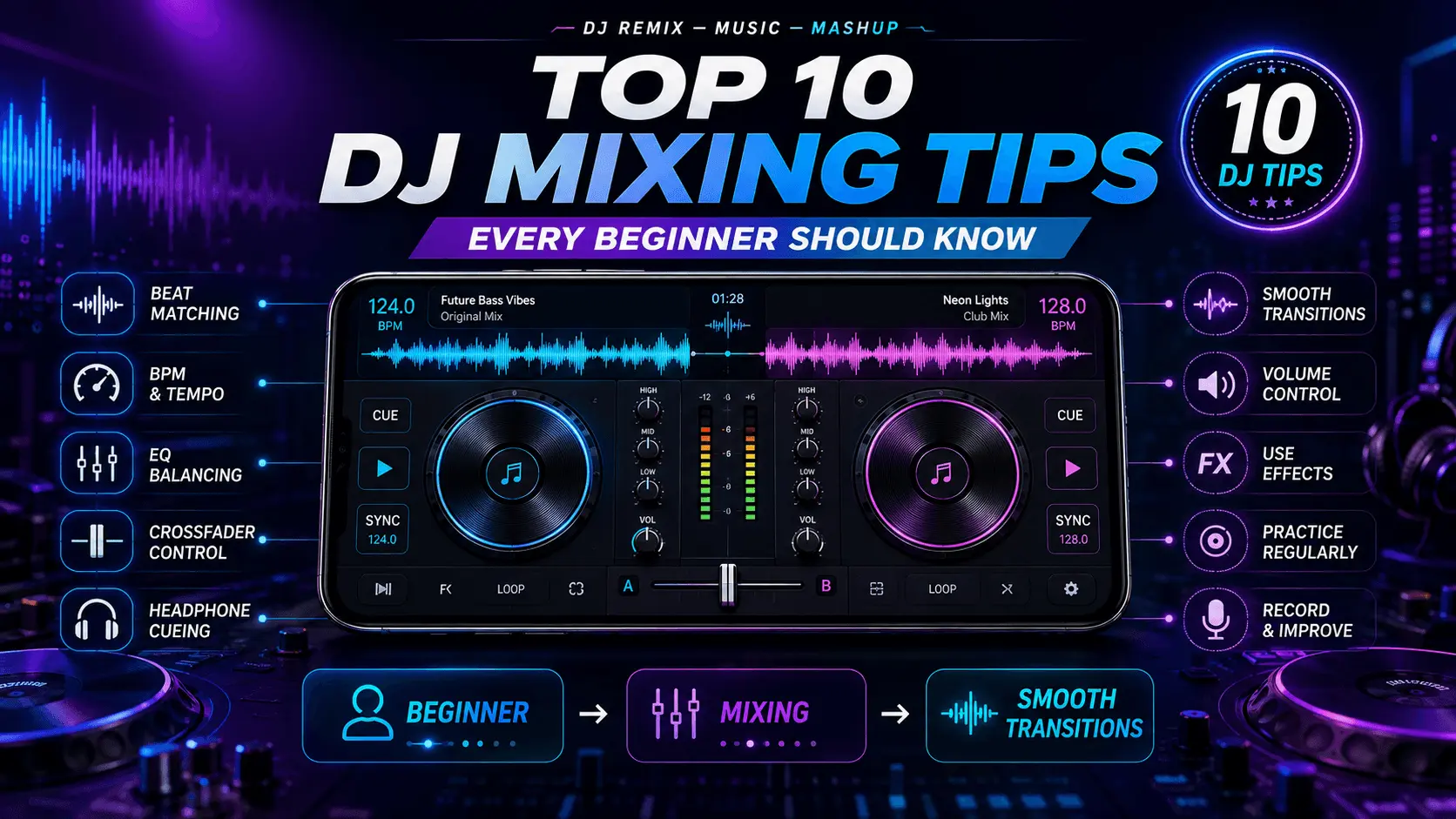
This beginner guide covers 10 practical DJ mixing tips that can help you build a reliable foundation and avoid some of the most common mistakes new DJs make.
- Understand BPM Before Mixing
- Learn Beat Matching
- Choose Compatible Songs
- Practice Simple Transitions
- Use EQ Carefully
- Learn to Count Beats and Phrases
- Use Headphones for Cueing
- Control Your Volume Levels
- Use Effects Sparingly
- Practice and Record Your Mixes
What Is DJ Mixing?
DJ mixing is the process of combining two or more tracks so that one song can transition smoothly into another. The goal is not simply to play songs one after another, but to create a continuous musical flow.
A basic mix may involve matching the tempo of two tracks and gradually moving from the outgoing song to the incoming song. More advanced mixes can use EQ, filters, loops, effects, cue points, and creative transitions.
A clean and well-timed transition is usually more effective than a complicated transition filled with unnecessary effects.
1. Understand BPM Before Mixing
BPM means beats per minute. It is a basic measurement of tempo that tells you how quickly the rhythmic pulse of a track moves.
Understanding BPM helps you identify songs that may work well together. Tracks with similar tempos are generally easier for beginners to mix because you do not need to make large tempo adjustments.
| BPM Situation | Beginner Approach |
|---|---|
| Very similar BPM | Good starting point for mixing. |
| Moderately different BPM | May require tempo adjustment. |
| Large BPM difference | More difficult for a beginner transition. |
Do not treat BPM as an absolute rule. Musical style, rhythm, arrangement, and phrasing also influence whether two tracks work together.
2. Learn Beat Matching
Beat matching means aligning the rhythmic beats of two tracks so that they play together in time. It is one of the most important basic DJ mixing skills.
Digital DJ software can provide visual waveforms and tempo information, but beginners should still develop their ears. Learning to recognize when two beats drift apart will help you become more confident even when visual assistance is unavailable.
Basic Beat-Matching Process
- Find the beat of the track currently playing.
- Cue the next track through your headphones.
- Match the tempos as closely as practical.
- Start the incoming track on the correct beat.
- Listen for drift and make small adjustments.
3. Choose Songs That Work Well Together
Song selection can make mixing much easier. Beginners often focus heavily on controls and effects while overlooking one of the most important parts of DJing: choosing compatible tracks.
Look at BPM, musical energy, rhythm, arrangement, and overall mood. Two tracks do not have to be identical to work together, but they should create a transition that feels natural.
Tempo
Similar tempos can make early mixing practice easier.
Energy
Consider whether the second track should maintain, increase, or reduce the energy.
Arrangement
Understand where intros, verses, drops, breaks, and outros occur.
4. Start With Simple Transitions
Beginners often try to make transitions complicated too quickly. A simple transition that keeps both tracks synchronized can sound much better than an elaborate transition that loses timing.
Start by learning one reliable transition method. For example, bring the incoming track in gradually while reducing the outgoing track at an appropriate musical point.
Make your transition smooth enough that a listener can follow the music without being distracted by the change between tracks.
5. Use EQ Carefully
EQ controls allow you to adjust frequency ranges such as low, mid, and high frequencies. They are useful for helping two tracks occupy the mix without becoming overly crowded.
One common beginner mistake is turning every EQ control dramatically. Instead, make small adjustments and listen to how the tracks interact.
| EQ Range | General Role | Beginner Approach |
|---|---|---|
| Low | Bass and low-frequency energy | Make controlled adjustments to avoid excessive bass buildup. |
| Mid | Many vocals and instruments | Use carefully so important musical elements remain clear. |
| High | Treble and high-frequency detail | Avoid excessive boosting that can make the mix harsh. |
Build Your Mixing Foundation First
BPM, beat matching, song selection, simple transitions, and basic EQ provide a strong foundation for beginner DJs. Once these skills become comfortable, you can start experimenting with phrasing, loops, filters, hot cues, and creative effects.
The next section covers phrasing, headphone cueing, volume control, effects, practice routines, and additional techniques for creating smoother mixes.
6. Learn to Count Beats and Musical Phrases
Beat matching becomes much easier when you understand how music is structured. Many tracks are organized into repeating groups of beats and phrases. Learning to recognize these patterns helps you decide when to introduce the next song.
Instead of starting a transition at a random moment, listen for natural points such as the beginning of an intro, the end of a phrase, a breakdown, or a new section of the arrangement.
What to Listen For
- Regular rhythmic patterns.
- Changes in drums or percussion.
- Beginning and ending sections.
- Breakdowns and drops.
- Changes in musical energy.
As you practice, try counting along with the beat. You do not need to calculate complicated musical theory. The goal is simply to develop an instinct for when a new section of a track is about to begin.
7. Use Headphones for Cueing
Headphones are an important part of DJ mixing because they allow you to listen to the incoming track without sending it directly to the audience or main speakers.
This lets you prepare the next track while the current track is still playing. You can check its timing, adjust the tempo, find the correct starting point, and decide when to bring it into the mix.
| Cueing Task | Purpose |
|---|---|
| Preview the incoming track | Know what you are about to introduce. |
| Check the beat | Prepare beat matching. |
| Adjust BPM | Bring tempos closer together. |
| Find the start point | Begin the track at an appropriate musical moment. |
| Check EQ interaction | Plan how the two tracks will overlap. |
8. Control Your Volume Levels
A technically synchronized mix can still sound poor if the volume levels are inconsistent. Beginners sometimes focus so much on transitions that they forget to monitor the overall level.
Try to keep the incoming track at an appropriate level before fully introducing it. Sudden volume jumps can be distracting, while an incoming track that is too quiet may lose its impact.
Watch your channel and master levels while mixing. Avoid constantly pushing the output to the maximum just to make the mix sound louder.
A controlled level gives you more room to make musical adjustments and can make the overall mix feel cleaner.
9. Use Effects Sparingly
DJ apps often provide effects such as echo, reverb, filters, flanger, delay, and other processing tools. These can make a transition more creative, but using too many effects can make a mix confusing.
Beginners should first learn to create clean transitions without depending on effects. Once the basic transition works, an effect can be added for a specific musical purpose.
Echo
Can help create a fading or repeating transition when used carefully.
Filter
Can gradually change the frequency character of a track during a transition.
Reverb
Can add space to a sound, but excessive use may make the mix feel unclear.
If an effect makes the transition more noticeable than the music itself, consider reducing it.
10. Practice and Record Your Mixes
Regular practice is one of the most effective ways to improve DJ mixing. It is difficult to recognize every mistake while you are actively controlling two tracks, so recording your practice sessions can reveal problems that you did not notice in real time.
Listen back to your recordings and identify moments where the beats drift, volume changes suddenly, vocals overlap awkwardly, or a transition feels too long or too short.
Simple Practice Routine
- Choose two compatible tracks.
- Match their tempos.
- Practice starting the second track on time.
- Try a simple transition.
- Record the result.
- Listen back and identify one thing to improve.
How Song Selection Can Make Mixing Easier
One of the easiest ways to improve a beginner mix is to choose tracks that are naturally compatible. If two songs have very different tempos, arrangements, or energy levels, the transition may require more work.
Start with tracks that share a similar tempo and rhythmic feel. Once you become comfortable, gradually experiment with larger differences.
| Selection Factor | Beginner Recommendation |
|---|---|
| BPM | Start with tracks that have similar tempos. |
| Rhythm | Choose tracks with compatible rhythmic patterns. |
| Energy | Avoid extremely sudden changes while learning. |
| Arrangement | Use clear intros and outros when possible. |
| Genre | Start with familiar styles before experimenting widely. |
Beginner-Friendly DJ Transition Techniques
Once beat matching becomes comfortable, you can practice several basic transition approaches. Each technique has a different musical purpose, so try them with suitable tracks rather than using the same transition every time.
Volume Transition
Gradually lower the outgoing track while bringing in the incoming track at the appropriate point.
Beginner FriendlyEQ Transition
Use EQ adjustments to manage frequency overlap while moving from one track to another.
Intermediate FoundationFilter Transition
Gradually change the frequency character of a track while introducing the next one.
CreativeEcho Transition
Use a controlled echo to create space while moving out of the current track.
Use CarefullyLearn to Use Cue Points
Cue points can help you quickly return to important locations within a track. Depending on the DJ app, you may be able to mark an intro, vocal section, drop, breakdown, or other useful point.
For beginners, a small number of well-chosen cue points is usually more useful than creating a large collection that becomes difficult to remember.
Useful Beginner Cue Points
- Track intro.
- First strong beat.
- Beginning of a chorus or main section.
- Breakdown.
- Drop or major energy change.
- Outro.
Common DJ Mixing Mistakes Beginners Should Avoid
Learning from mistakes can save a lot of practice time. Many beginner problems come from trying to do too much instead of focusing on timing and musical flow.
| Common Mistake | Better Approach |
|---|---|
| Using too many effects | Master clean transitions first. |
| Ignoring BPM | Understand the tempo relationship between tracks. |
| Starting tracks randomly | Learn to recognize musical phrases. |
| Overusing EQ | Make small and purposeful adjustments. |
| Ignoring volume levels | Monitor channel and master levels. |
| Never recording practice sessions | Record and review your mixes regularly. |
Practice Technique Before Creativity
Creative DJ techniques become much easier when the fundamentals are automatic. Spend time practicing BPM matching, beat alignment, phrasing, EQ, cueing, and simple transitions before trying to build complicated routines.
The final section brings the 10 tips together into a practical beginner workflow, explains how to build a regular practice routine, and includes the FAQ, structured data, and final application CTA.
A Simple DJ Mixing Workflow for Beginners
Once you understand the basic techniques, you can combine them into a repeatable workflow. Having a consistent process makes practice easier because you can focus on one skill at a time instead of trying to control everything simultaneously.
- Choose two compatible tracks. Start with songs that have reasonably similar BPM values and a compatible musical feel.
- Load the first track. Listen to its structure and identify useful sections such as the intro, main section, breakdown, and outro.
- Prepare the second track. Use headphones to preview the incoming track and find a suitable starting point.
- Match the tempo. Adjust the BPM so that the two tracks can work together comfortably.
- Align the beats. Start the incoming track at an appropriate beat and listen for timing drift.
- Choose the transition point. Use musical phrasing to decide when the incoming track should become more prominent.
- Control the EQ and volume. Make small adjustments so that the combined tracks remain clear.
- Record and review. Listen to the result and identify one specific improvement for your next attempt.
Build a Regular DJ Practice Routine
Consistency is more useful than practicing randomly for long periods. A short, focused practice session can help you improve a specific skill without becoming overwhelmed.
| Practice Stage | Focus | Suggested Goal |
|---|---|---|
| Stage 1 | BPM | Become comfortable identifying track tempos. |
| Stage 2 | Beat Matching | Keep two tracks aligned for longer periods. |
| Stage 3 | Phrasing | Start transitions at natural musical points. |
| Stage 4 | EQ | Make controlled frequency adjustments. |
| Stage 5 | Transitions | Create consistent and smooth track changes. |
| Stage 6 | Effects | Add creative effects only when they improve the transition. |
| Stage 7 | Recording | Review complete mixes and identify improvements. |
Practicing DJ Mixing on Android
Android can be a convenient platform for learning the fundamentals of DJ mixing. A mobile DJ app can provide features such as decks, BPM information, waveforms, cue controls, EQ, effects, and other tools in a compact interface.
The important thing is to learn what each control does rather than simply relying on automatic features. Automated beat synchronization can be useful during practice, but developing your listening and timing skills will give you a stronger foundation.
Start Simple
Learn the main deck controls before experimenting with advanced effects.
Use Headphones
Practice cueing the next track and listening for timing differences.
Record Practice
Reviewing your mixes can reveal problems that are difficult to notice while mixing.
How to Improve Your DJ Timing
Timing is one of the skills that separates a smooth transition from a noticeable mistake. The more you listen to rhythm and musical structure, the easier it becomes to anticipate where a track should enter or leave.
Timing Practice Exercise
- Select two tracks with similar BPM.
- Listen to the beat of the playing track.
- Cue the second track through headphones.
- Try starting the second track on the first beat of a musical phrase.
- Listen for whether the beats remain aligned.
- Repeat the exercise until the timing becomes more natural.
How to Make a DJ Mix Sound Cleaner
Clean mixing is usually about control rather than complexity. Avoid abrupt volume changes, excessive bass overlap, poorly timed track starts, and effects that distract from the music.
| Problem | Possible Improvement |
|---|---|
| Tracks sound too loud together | Check channel and master levels. |
| Bass becomes muddy | Use controlled low-frequency EQ adjustments. |
| Beats drift apart | Improve tempo matching and beat alignment. |
| Transition feels awkward | Try entering at a more suitable musical phrase. |
| Mix sounds overprocessed | Reduce unnecessary effects. |
| Incoming track feels sudden | Prepare the volume and entry point before introducing it. |
The 10 DJ Mixing Tips at a Glance
| # | DJ Mixing Tip | Main Goal |
|---|---|---|
| 1 | Understand BPM | Recognize tempo relationships. |
| 2 | Learn Beat Matching | Keep tracks rhythmically aligned. |
| 3 | Choose Compatible Songs | Make transitions easier. |
| 4 | Start With Simple Transitions | Build consistency. |
| 5 | Use EQ Carefully | Control frequency overlap. |
| 6 | Count Beats and Phrases | Improve transition timing. |
| 7 | Use Headphones for Cueing | Prepare the next track. |
| 8 | Control Volume Levels | Keep the mix balanced. |
| 9 | Use Effects Sparingly | Add creativity without clutter. |
| 10 | Practice and Record | Identify mistakes and improve. |
Beginner DJ Mixing Checklist
- ✓ Know the BPM of the tracks you are mixing.
- ✓ Practice keeping beats aligned.
- ✓ Choose tracks with compatible tempo and energy.
- ✓ Learn one simple transition before adding complex techniques.
- ✓ Use EQ adjustments carefully.
- ✓ Learn to recognize musical phrases.
- ✓ Use headphones to preview incoming tracks.
- ✓ Monitor your volume levels.
- ✓ Use effects only when they improve the mix.
- ✓ Record your practice sessions and review them.
Conclusion
Learning to mix music does not require mastering every DJ feature at the beginning. Start with the fundamentals: understand BPM, practice beat matching, choose compatible songs, learn simple transitions, and listen carefully to how tracks interact.
Headphone cueing, EQ control, musical phrasing, volume management, and carefully selected effects can then help you make your mixes smoother and more creative.
Most importantly, practice consistently. Recording your sessions and listening back to them can help you identify timing problems and other areas for improvement. Whether you are learning on Android or another DJ setup, strong fundamentals will give you a much better foundation for more advanced mixing techniques.
Frequently Asked Questions
Start Practicing Your DJ Mixes
Practice beat matching, transitions, EQ, cueing, and creative mixing with DJ Remix – Music – Mashup.