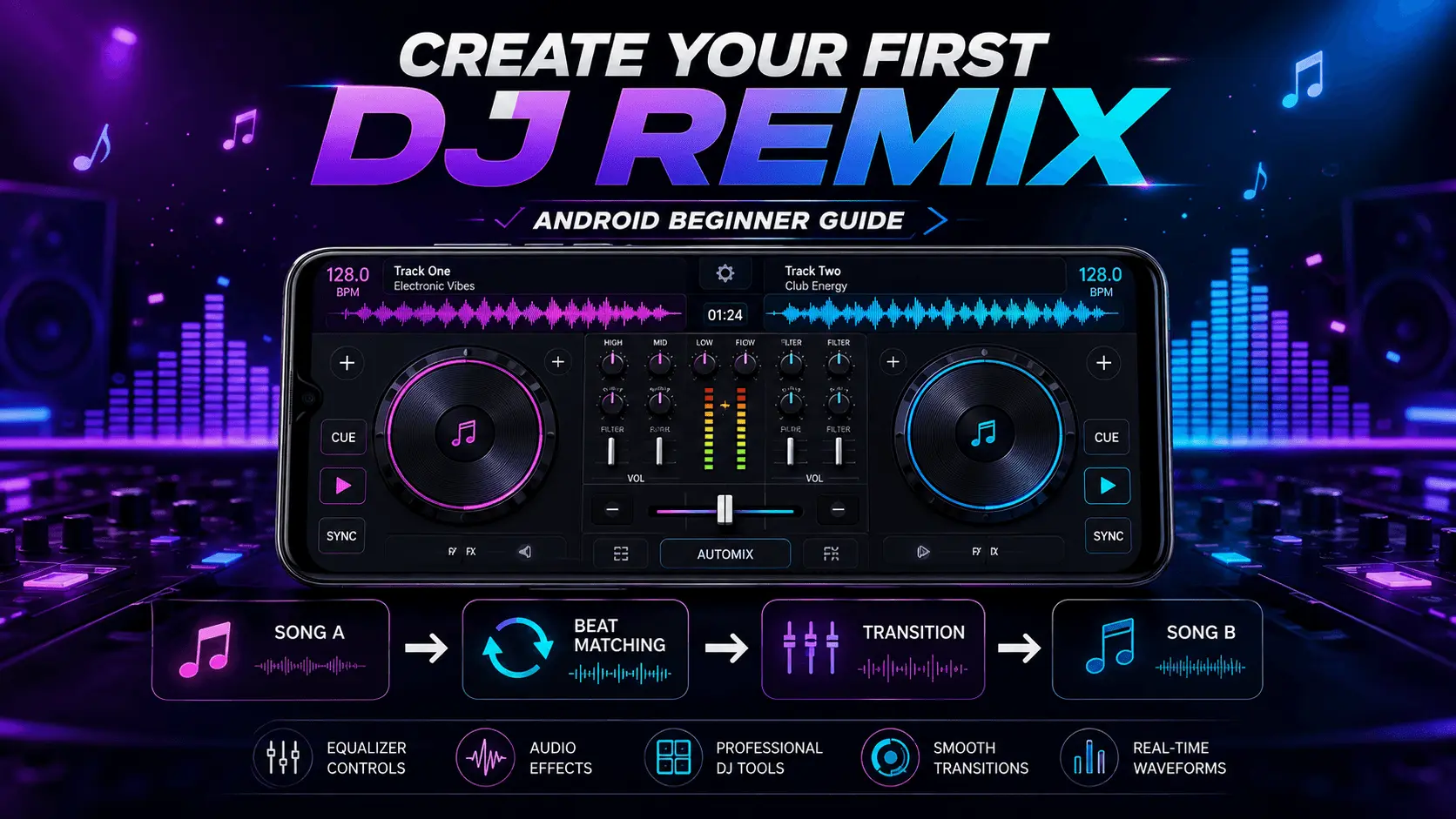
DJ Remix
Android
Beginner
12 Minutes
Creating a DJ remix may sound complicated when you first see professional DJs working with multiple decks, audio controls, effects, and complicated-looking equipment. On Android, however, you can start learning the basic ideas of DJ mixing with a much simpler setup.
A good first remix does not need dozens of effects or complicated transitions. The most important skills are learning how to choose compatible tracks, understand tempo, find suitable transition points, and move smoothly from one song to another.
With a suitable DJ mixing application, your Android phone can provide virtual decks, BPM information, crossfaders, equalizers, and effects that allow you to experiment with these basic techniques.
This beginner-friendly guide explains how to create your first DJ remix on Android, from preparing your tracks to building a simple transition and reviewing the finished mix.
- What You Need to Create a DJ Remix
- Choose the Right Songs
- Understand the DJ Decks
- Learn the Basics of BPM
- Prepare Your First Mix
- Match the Tempo
- Continue Building Your First Remix
What You Need to Create a DJ Remix on Android
You do not need professional DJ hardware to begin practicing basic remix techniques. A smartphone, suitable audio files, and a DJ mixing application are enough to start learning.
Android Phone
A reasonably modern Android phone provides enough processing power for basic two-deck mixing and audio effects.
DJ Mixing App
Use an Android DJ application that provides virtual decks, tempo controls, a crossfader, and basic audio effects.
Audio Tracks
Use music files that you have permission to mix and use. Start with two tracks that have compatible tempos and styles.
Step 1: Choose the Right Songs
Song selection is one of the most important parts of creating a good first remix. If the two tracks have completely different tempos, structures, or musical styles, creating a smooth transition can be more difficult.
For your first attempt, choose songs that have relatively similar tempos and a predictable structure. Tracks with clear intros, verses, choruses, or instrumental sections are easier to practice with.
| What to Check | Beginner-Friendly Choice |
|---|---|
| Tempo | Similar BPM values |
| Structure | Clear intro and outro sections |
| Style | Compatible musical styles |
| Energy | Similar or gradually increasing energy |
| Audio quality | Clear, good-quality source files |
Start With a Simple Two-Song Combination
Your first remix should be simple. Instead of trying to combine several tracks, start with two songs and concentrate on making one clean transition.
Beginner Practice Structure
Introduction
Beat Matching
Main Section
Smooth Finish
Step 2: Understand the Two DJ Decks
Most basic DJ mixer applications provide two virtual decks. Think of them as two music players that can operate together. One deck can play the current song while the other prepares the next track.
Deck A
Usually used for the track currently playing. You can control playback, tempo, volume, equalization, and other available functions.
Deck B
Used to prepare and introduce the next track while the first track is still playing.
Understand the Most Important DJ Controls
You do not need to master every control before creating your first remix. Start with the controls that directly affect the transition between two songs.
| Control | Purpose |
|---|---|
| Play / Pause | Starts or stops a track. |
| Volume | Controls the loudness of each deck. |
| Crossfader | Moves the audible mix between the two decks. |
| Tempo / Pitch | Adjusts playback speed and can help match BPM. |
| EQ | Controls frequency ranges such as bass, mids, and highs. |
| Effects | Adds creative audio processing when appropriate. |
Step 3: Learn the Basics of BPM
BPM means beats per minute. It describes the tempo of a track and gives you a useful reference when trying to combine two songs.
For example, if one song is around 100 BPM and another is around 102 BPM, they may be easier to combine than two tracks with dramatically different tempos.
When learning to mix, start with tracks that have similar BPM values. This allows you to concentrate on timing and transitions instead of making large tempo adjustments.
Step 4: Prepare Your First Mix
Load your first song onto Deck A and your second song onto Deck B. Before pressing play, spend a moment identifying the sections where you want the transition to happen.
- Load Song A onto the first deck.
- Load Song B onto the second deck.
- Check the BPM of both tracks.
- Listen for the intro, outro, or instrumental sections.
- Set comfortable monitoring volume.
- Decide where Song B should enter.
Planning the transition before mixing gives you a clear target and makes the first practice session much easier.
Step 5: Match the Tempo Before the Transition
Once both tracks are loaded, compare their BPM values. If your DJ application provides automatic tempo synchronization, you can use it as a starting point. If you want to learn manually, make small tempo adjustments and listen carefully to the beats.
The goal is for the beats of both tracks to feel synchronized rather than competing with each other. Small adjustments are often easier to control than large changes.
Beginner Workflow
Load → Check BPM → Find Transition Point → Match Tempo → Preview → Mix
Step 6: Start the Transition Between Two Songs
Once the tempos are reasonably matched, the next step is introducing the second track without making the transition sound sudden. This is where timing becomes more important than simply moving the crossfader.
Start Song A normally and allow the listener to become familiar with its rhythm. When you reach a suitable transition point, begin preparing Song B on the second deck.
Simple Transition Sequence
- Let Song A establish the rhythm.
- Prepare Song B at its starting point.
- Match the tempo of Song B.
- Start Song B at an appropriate musical point.
- Listen carefully to both tracks together.
- Gradually move the mix toward Song B.
Learn Basic Beat Matching
Beat matching means aligning the rhythmic beats of two tracks so they play together more naturally. It is one of the fundamental skills behind DJ mixing.
Some Android DJ applications can automatically synchronize tracks, which is useful for beginners. However, listening carefully while making small adjustments is also a valuable way to understand how tempo and timing affect a mix.
Listen for whether the beats sound like one steady rhythm. If you hear the beats separating or drifting apart, make a small tempo or timing adjustment rather than changing several controls at once.
Step 7: Use the Crossfader Smoothly
The crossfader controls how much of each deck is heard in the final mix. Moving it fully toward one side emphasizes one track, while moving it toward the other side emphasizes the second track.
For a beginner transition, avoid moving the crossfader extremely quickly. A gradual movement can make the change between tracks feel more natural.
| Crossfader Position | What You Hear |
|---|---|
| Fully toward Deck A | Mostly Song A |
| Near the center | Both tracks are audible |
| Fully toward Deck B | Mostly Song B |
Step 8: Use EQ to Make the Transition Cleaner
Equalization, commonly called EQ, lets you control different frequency ranges in a track. Most DJ mixers provide controls for bass, midrange, and treble.
When two tracks are playing simultaneously, their low-frequency elements can sometimes compete with each other. A simple EQ adjustment can help create more space during the transition.
Bass
Controls lower frequencies. Pay particular attention to bass when two tracks are playing together.
Midrange
Helps control many of the musical and vocal elements in a track.
Treble
Controls higher frequencies and can influence the brightness and clarity of the mix.
Make small EQ adjustments. Extreme changes can make a track sound unnatural or remove important parts of the music.
Step 9: Add Effects Carefully
DJ effects can make a remix more interesting, but using too many effects at once can make the result difficult to listen to. When you're creating your first remix, concentrate on learning one effect at a time.
| Effect Type | Possible Use |
|---|---|
| Echo | Can create a trailing sound at the end of a phrase. |
| Reverb | Can add a sense of space to selected audio. |
| Filter | Can gradually emphasize or reduce frequency ranges. |
| Flanger | Can create a noticeable sweeping effect for creative transitions. |
Build a Simple First Remix
You do not need a complicated arrangement for your first project. A simple three-stage structure is enough to practice the fundamental skills.
Start
Play the first track and establish its rhythm.
Transition
Introduce the second track while matching the tempo and gradually adjusting the mix.
Finish
Let the second track become the main song and complete the transition cleanly.
Step 10: Record and Review Your Remix
If your DJ application provides a recording feature, use it to save your practice session. Listening to the recording afterward can reveal problems that are difficult to notice while actively controlling the mixer.
Pay attention to whether the transition is too fast, whether the beats remain synchronized, and whether the volume changes are comfortable.
Review These Five Things
- Was the transition timed correctly?
- Did the beats remain synchronized?
- Was either track too loud?
- Did the EQ changes sound natural?
- Were the effects helping or distracting from the music?
Common Mistakes Beginners Make
| Mistake | Better Approach |
|---|---|
| Using too many effects | Start with simple transitions. |
| Choosing completely different tempos | Practice with tracks that have similar BPM values. |
| Moving the crossfader too quickly | Practice gradual transitions. |
| Ignoring volume levels | Monitor both decks before combining them. |
| Changing several controls at once | Adjust one control at a time while learning. |
| Trying to mix too many songs | Master a clean two-song transition first. |
Practice the Same Transition More Than Once
Your first remix does not have to be perfect. Repeating the same transition can help you understand timing, tempo, EQ, and crossfader movement much faster than constantly changing songs and techniques.
Try the same two tracks several times. On the first attempt, concentrate on timing. On the next attempt, focus on the crossfader. Then experiment with a small EQ adjustment or a single effect.
Master one technique at a time. A clean simple transition is more valuable for a beginner than a complicated mix filled with effects.
How to Improve Your DJ Remix
Once you can create a basic two-song transition, you can gradually improve your technique. Instead of adding more effects immediately, concentrate on timing, volume control, song structure, and cleaner transitions.
Small improvements can make a remix sound much more polished. Listen carefully to your recordings and identify one thing you want to improve during each practice session.
Improve Timing
Practice starting the second track at a consistent musical point instead of relying only on the visual controls.
Improve Volume
Keep the levels of both tracks balanced so the incoming song does not suddenly overpower the current track.
Improve Transitions
Experiment with different transition points and find sections where the two songs naturally complement each other.
Improve Song Selection
As you practice, learn which combinations of tempo, rhythm, and musical style produce smoother results.
A Simple Beginner DJ Practice Routine
Consistent practice is more useful than trying to learn every DJ feature at once. A short routine can help you gradually develop confidence with the mixer.
| Practice | Focus | Suggested Time |
|---|---|---|
| Song Selection | Find compatible tracks | 5 minutes |
| BPM Practice | Compare and match tempos | 10 minutes |
| Crossfader Practice | Gradual transitions | 10 minutes |
| EQ Practice | Control frequency balance | 10 minutes |
| Recording | Create and review a short mix | 10 minutes |
A Repeatable Workflow for Creating Remixes
Having a repeatable workflow makes the remixing process easier. Instead of experimenting randomly with every control, follow the same basic sequence and make small improvements each time.
Choose Tracks
Check BPM
Prepare Transition
Mix & Review
Use Music Responsibly
When creating and sharing a remix, make sure you have the necessary rights or permission to use the music. Copyright rules can apply to both the original recording and the underlying musical composition.
Practicing with music you are legally allowed to use is the safest approach. If you plan to publish or distribute a remix publicly, check the applicable licensing requirements before sharing it.
Downloading or remixing a song does not automatically give you permission to redistribute the copyrighted recording. Always respect the rights of music creators and copyright holders.
Common Problems When Creating a Remix
| Problem | Possible Solution |
|---|---|
| Beats keep drifting apart | Check the BPM and make smaller tempo adjustments. |
| Transition sounds abrupt | Try a longer transition and move the crossfader gradually. |
| Mix sounds muddy | Review the bass and other EQ levels on both tracks. |
| Incoming track is too loud | Lower its volume before completing the transition. |
| Effects dominate the mix | Reduce effect intensity and use fewer effects. |
| Phone audio is difficult to monitor | Use suitable headphones or external monitoring equipment when available. |
First DJ Remix Checklist
- Choose two compatible tracks.
- Check their BPM values.
- Load one track on each deck.
- Find a suitable transition point.
- Match the tempo.
- Introduce the second track gradually.
- Use the crossfader smoothly.
- Make small EQ adjustments when necessary.
- Avoid excessive effects.
- Record and listen to the finished mix.
Conclusion
Creating your first DJ remix on Android is easier when you focus on the fundamentals instead of trying to use every available feature. Start with two compatible tracks, understand their BPM, find a suitable transition point, and practice moving smoothly from one deck to the other.
Once you are comfortable with basic transitions, you can gradually explore EQ controls, effects, cue points, and more advanced mixing techniques. Recording your practice sessions can also help you identify timing and volume problems that may not be obvious while you're actively mixing.
Most importantly, keep your first projects simple. A clean two-song transition is a strong foundation for learning more advanced DJ remix and mashup techniques on Android.
Frequently Asked Questions
Start Creating Your First DJ Remix
Practice song selection, beat matching, smooth transitions, EQ, and creative effects directly on your Android device.